
Choosing Industrial Barcode Printers for Uptime




What Can We Help You With?
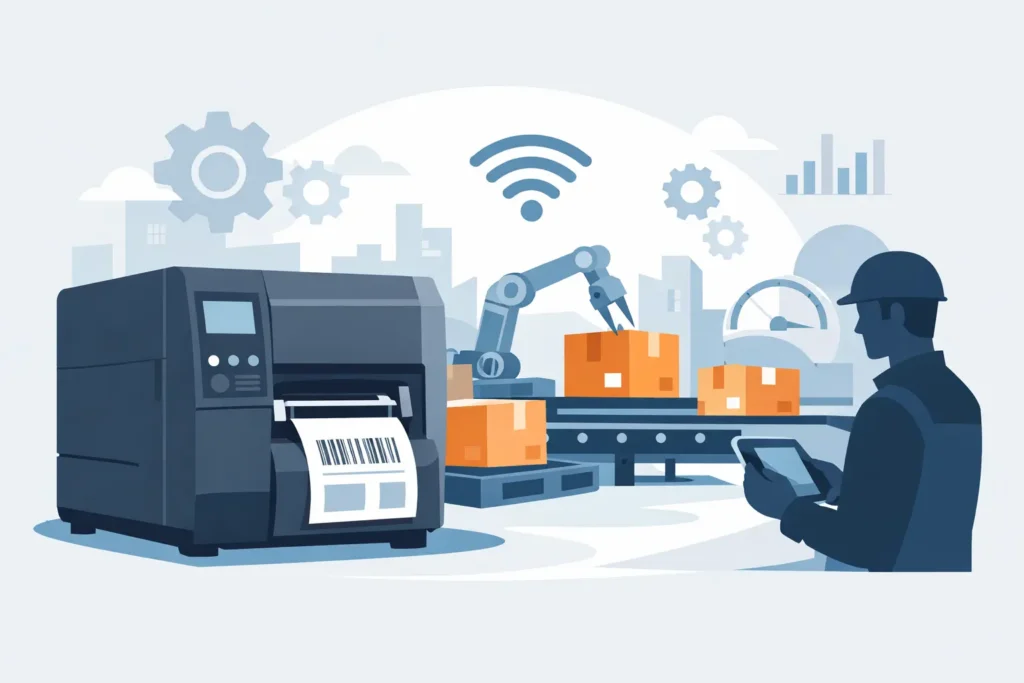
A barcode that scans perfectly at the printer but fails after a forklift pass, a freezer cycle, or just one week in a busy yard can create much bigger problems than a simple labeling inconvenience. Failed barcodes can delay shipments, interrupt production, complicate inventory counts, and force employees to fall back on time-consuming manual entry.
Industrial barcode printers are designed for demanding environments where these failures can come with real operational costs. But choosing the right printer involves more than comparing print speeds and purchase prices.
For warehouse, manufacturing, and compliance teams, a printer is just one part of a much larger identification system. Labels, ribbons, barcode formats, software, network configurations, and operator procedures all play a role in maintaining consistent performance.
The best industrial barcode printer is one that produces readable, durable labels at the volume and pace your operation actually requires.
What Makes Industrial Barcode Printers Different?
Industrial barcode printers are built for sustained use in environments where standard desktop equipment would quickly become a bottleneck. They typically feature stronger media handling, higher-duty-cycle components, larger ribbon capacities, more durable print mechanisms, and connectivity options designed for production lines, warehouse networks, and enterprise systems.
However, that doesn’t mean every facility needs the largest or fastest printer available.
A shipping station producing a few hundred labels per day has very different requirements from a manufacturing line printing serialized product labels around the clock. The important question isn’t simply whether a printer is classified as “industrial.” It’s whether its duty cycle, resolution, media capacity, and serviceability match the demands of your operation.
One common mistake is choosing a printer based on average print volume rather than peak demand. Labels may print without issues during a typical shift, but queues can quickly build during receiving surges, month-end shipping, seasonal demand, or production changeovers.
When evaluating printer capacity, consider these high-demand periods along with the potential cost of downtime when equipment requires cleaning, adjustments, or replacement.
Start With the Label Application
Before comparing industrial barcode printer models, start with the label application itself.
A printer that performs well for corrugated case labels may not be the right choice for small electronics labels, chemical drum identification, laboratory samples, or outdoor assets.
Take the time to define:
- Where the label will be applied.
- What environmental conditions it must withstand.
- How long it needs to remain readable.
- What information and data the label must carry.
For example, warehouse rack labels may require strong adhesion and wide-format printing, while work-in-process labels may need variable data and frequent format changes.
Product labels exposed to heat, oils, cleaners, UV exposure, moisture, or abrasion often require specialized facestocks and adhesives. If the label material isn’t suited to the application, improving printer quality alone won’t solve the problem.
Barcode size is another important consideration. Small labels containing dense data may require a higher-resolution printhead, often 300 DPI or higher, to maintain clean edges and appropriate bar widths.
Standard 203 DPI printing can work very well for many shipping, inventory, and general identification applications, particularly when label space isn’t limited.
Although higher resolution improves fine detail, it can also affect print speed and increase printhead replacement costs. Choose a higher resolution when the application calls for it, rather than treating it as a default specification.
Direct Thermal or Thermal Transfer?
Choosing between direct thermal and thermal transfer printing affects label durability, consumable costs, and long-term maintenance planning.
Direct thermal printing uses heat-sensitive label material and does not require a ribbon. It’s a practical option for shorter-life applications such as shipping labels, receipts, and temporary logistics labels that won’t be exposed to heat, sunlight, or prolonged handling.
Thermal transfer printing uses a ribbon to transfer the printed image onto the label. It’s generally the stronger choice for durable identification, long-term inventory labels, asset tags, product traceability, and labels exposed to demanding conditions.
The ribbon must also be matched to the label material and operating environment. Wax, wax-resin, and resin ribbons each offer different performance characteristics. Choosing a ribbon based solely on the lowest price can lead to poor scratch resistance and barcode failures.
Selecting the right printing technology from the beginning helps ensure your labels perform as expected throughout their intended lifespan.
Match the Printer to Workflow, Not Just Specifications
A printer’s published speed is an important specification, but it doesn’t tell the whole story.
Actual printing throughput depends on several factors, including:
- Label size and format
- Print darkness settings
- Barcode density
- Required print resolution
- Label formatting
- Communication speed
- Whether labels are printed individually or in batches
Even a fast industrial printer can create delays if it requires frequent ribbon changes or operators must constantly intervene to correct media-loading errors.
Consider how labels are generated and incorporated into your existing workflow. Some operations print directly from a warehouse management system or ERP platform. Others rely on labeling software, database-driven templates, scan-and-print processes, or applications connected to scales, PLCs, and inspection equipment.
Your printer needs to support the programming language, drivers, connectivity, and integration methods already used within your environment.
Network-connected printers also require a clear ownership and management plan. IT teams may need to oversee IP addresses, wireless security, user permissions, firmware updates, and remote monitoring. Meanwhile, operations teams need reliable access to printing equipment at the point of use.
Including both departments early in the selection process can prevent a common problem: a printer arriving on the production floor before anyone has determined how it will connect to the existing system.
Plan for Media Handling and Operator Use
Media compatibility is another important factor when selecting an industrial barcode printer.
Label width, roll diameter, core size, liner thickness, and ribbon length all influence printer selection. While industrial printers can typically accommodate a wide range of media, that doesn’t mean every label construction will feed consistently.
Specialty materials, thick tags, perforated stock, and narrow labels may require specific printer settings or additional accessories.
Operator experience matters just as much as media compatibility. In high-turnover or multi-shift environments, simple loading instructions, visible status indicators, straightforward calibration procedures, and accessible printheads can help reduce preventable interruptions.
The operating environment should also influence your decision. A printer installed in a dusty production area may need a different enclosure or maintenance schedule than one operating at a clean packing station.
It’s also worth evaluating optional features such as peel-and-present, cutter, rewind, and applicator-ready configurations based on your actual workflow.
These features can improve label handling and labor efficiency, but only when they support a clearly defined operational need. Adding accessories without a specific use case increases system complexity and introduces additional components that may require maintenance.
Build Reliability Into the Full Labeling System
Consistent print quality requires more than getting the initial printer setup right. Performance should be verified during installation and monitored whenever materials, data formats, or operating conditions change.
Print darkness settings are a good example. Settings that are too low can produce weak bars and poor barcode scanning performance. Settings that are too high may create blurred edges, excess ribbon buildup, or premature printhead wear.
Routine cleaning is another simple but important way to protect printer performance and minimize downtime.
Adhesive buildup, dust, and ribbon residue can all affect print consistency and media tracking. The appropriate cleaning frequency depends on the operating environment and print volume, but maintenance should be included in a documented operating procedure rather than becoming something employees address only after labels start failing.
Replacement printheads should also be treated as planned maintenance items, particularly in high-volume thermal transfer operations.
A damaged or worn printhead can create voids or streaks that may not be immediately noticeable to an employee applying labels but can cause scanners to reject them later. Keeping compatible spare parts available can help reduce the length and cost of an unexpected equipment stoppage.
Barcode verification is another important consideration for regulated, high-value, or traceability-sensitive applications.
While a scanner confirms that a barcode can be read, verification measures whether the barcode meets defined quality standards.
The appropriate level of testing depends on the risk associated with the application:
- Internal warehouse labels: Routine scan testing may be sufficient.
- Supplier compliance programs: Formal verification may be necessary.
- Medical, automotive, or serialized traceability applications: Formal barcode verification may be essential to meeting identification and quality requirements.
Establishing the right verification process helps ensure barcodes remain dependable throughout the labeling workflow.
Evaluate Total Cost Over the Printer’s Service Life
The lowest-priced industrial barcode printer isn’t necessarily the most cost-effective option.
A printer that requires frequent service, uses poorly matched consumables, or struggles to integrate with existing systems can create ongoing labor expenses and costly downtime.
Instead of focusing exclusively on the initial purchase price, evaluate the total cost of ownership over the printer’s expected service life.
Consider:
- Expected print volume and operating demands.
- Label media and ribbon consumption.
- Routine maintenance and service requirements.
- Available technical support.
- Spare-part availability and replacement costs.
- Compatibility with future labeling requirements.
For businesses operating across multiple facilities, standardizing equipment can simplify employee training, supply inventory, template management, and technical support.
However, standardization shouldn’t mean forcing one printer model into every application. A facility may reasonably use a high-volume industrial printer for production labeling and a different configuration for remote shipping stations or mobile workstations.
A knowledgeable supplier should also be able to help evaluate the complete combination of printer, label, ribbon, data format, and operating environment.
Testing these components together can uncover potential issues before they become problems on the production floor.
PaladinID works with customers to align these components with the operational requirements behind each label, not simply the specifications listed on a printer data sheet.
The right printer earns its place by making identification predictable and dependable. When equipment, materials, and workflows are designed to work together, employees spend less time troubleshooting labeling issues and more time moving products, confirming inventory, and keeping operations on schedule.
PaladinID – Make Your Mark.


Got Labeling Questions? Our AI Assistant Has Answers - Chat Now!
For more information on PaladinID
Get Help With Your Next Label Project
We have over 35 years of providing exceptional service and labeling products to the world. Take the first step to an easy, stress-free solution for your label needs by contacting us.
Schedule a call below or email [email protected]
Make Your Mark
“Making companies more competitive by offering the correct label printing solution, on time, within budget, while creating unmatched value”.
About PaladinID, LLC
PaladinID develops and supports high-performance barcode labeling applications. We work with our clients to “Make Your Mark” by providing the expertise and tools necessary to create an entire product label printing solution. Located in central New Hampshire, PaladinID has been serving Massachusetts, Vermont, Maine, Connecticut, Rhode Island, New England, and beyond for over 30 years, and in 2017, became an RFID-certified company. We look forward to working with you.
You may be interested in our other services:
Product Labels
Product Labels
Labels for every type of application: Blank, Pre-printed, Variable data
Label Printers
Label Printers
We sell and support: Direct/thermal transfer, Inkjet, Laser
Printer Ribbons
Printer Ribbons
We sell ribbons for ALL barcode printers including: Zebra, Datamax, Sato, Intermec
Flexible Packaging
Flexible Packaging
We offer a wide variety of packaging containers for your products.
Label Software
Label Software
Software for all barcode printing and product labeling.
Label applicators
Label Applicators
Wide selection of applicators: Desktop/Mobile, Applicator only, Print & apply
