
Barcode Labeling Software Review for Operations




What Can We Help You With?
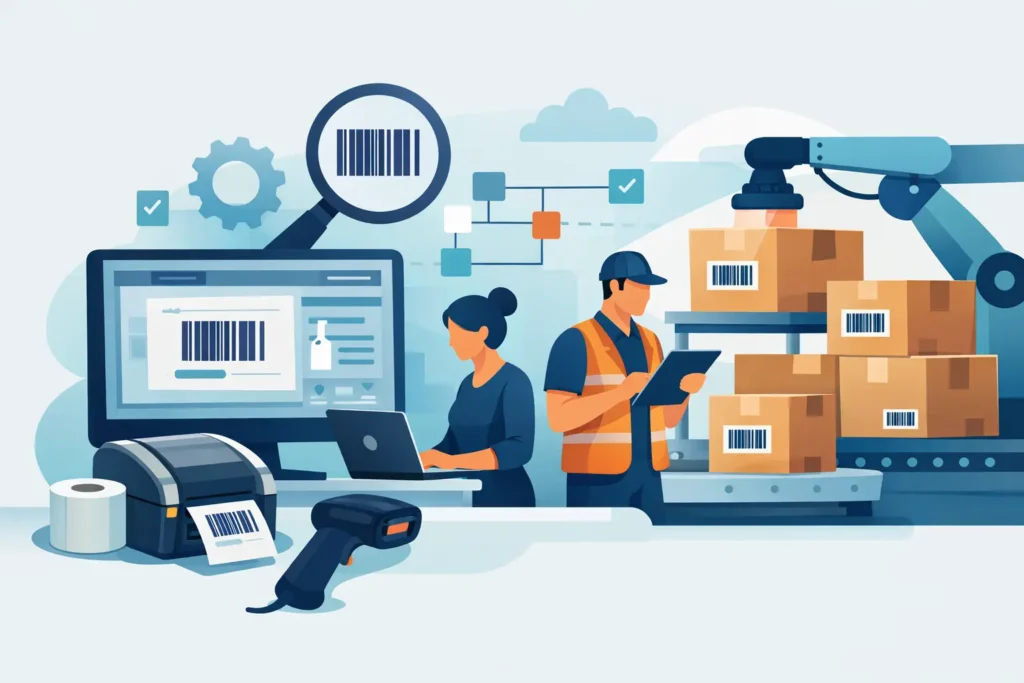
A barcode that won’t scan at receiving can stop a pallet before it even reaches a storage rack. A mislabeled work order can lead to rework that costs far more than the label itself. That’s why choosing barcode labeling software should start with your operation—not just a checklist of features.
The right software needs to produce accurate labels where the work happens, pull information from the correct data sources, and communicate reliably with the printers, materials, and systems your team already uses.
For industrial operations, label design is only one piece of the puzzle. The bigger question is whether the software can support a consistent identification process across receiving, production, shipping, inventory, asset tracking, and compliance labeling.
A platform might look impressive during a product demonstration but still create problems once it’s put to work. If it can’t integrate with your database, support your printer fleet, manage user permissions, or handle variable data, it may create more delays than it solves.
What Barcode Labeling Software Should Do
Barcode labeling software allows businesses to create label layouts, encode information into barcodes or RFID tags, and send print jobs to one or more printers.
Basic programs can create simple static labels, such as an address or product label. Industrial applications often require much more, including:
- Controlled label templates
- Live data connections
- Serialization
- Conditional printing
- Approval rules
- Reliable printing across multiple locations
The software should allow authorized users to create and maintain label templates without having to change the design or data rules for every print run.
This is especially important when different teams use the same labeling system. A warehouse may need one consistent label format across several shifts, while manufacturing may require different versions based on lots, dates, work orders, or customer-specific requirements.
The software should also support the barcode symbologies your operation actually uses. Common requirements include Code 128, GS1-128, UPC, Data Matrix, QR codes, and PDF417.
Industries such as healthcare, life sciences, retail, transportation, and regulated manufacturing may have additional formatting and data requirements.
Rather than choosing software based on the number of barcode types it advertises, make sure it can produce the specific code, data structure, size, and print quality your application requires on your selected label material.
Barcode Labeling Software Review Criteria That Matter
A useful barcode labeling software review looks at the entire process, from the original data source to the finished label being applied.
Four areas deserve particular attention when comparing solutions.
Data Integration and Variable Data Control
Manual data entry may be fine for occasional, low-volume printing. However, it isn’t a reliable foundation for everyday industrial operations.
When employees have to manually enter part numbers, lot codes, expiration dates, or shipping details into separate fields, every print job creates another opportunity for mistakes.
Look for software that can connect to the systems where your business stores its information, including:
- ERP systems
- Warehouse Management Systems (WMS)
- Manufacturing Execution Systems (MES)
- Spreadsheets
- SQL databases
- Cloud applications
- Structured text files
The connection method matters, too. A direct database connection may work well in an on-premises production environment, while an API or automated file exchange may be a better fit for a business operating across multiple locations.
Ask how the software handles missing records, invalid values, duplicate serial numbers, and connection failures.
A user-friendly screen doesn’t automatically protect your operation from incorrect data. Strong implementations use field validation, controlled selections, prompts only when necessary, and rules that prevent a label from printing when critical information is missing.
Printer Compatibility and Centralized Control
Your software and printers need to work together at the required print resolution, label size, speed, and duty cycle.
A label that prints perfectly on a desktop printer may not produce the same results when moved to an industrial printer on a packing line. Some environments need printer-resident formats for speed and reliability, while others benefit from centralized print management and browser-based access.
Evaluate the printers you already use, along with any models you may add as your operation grows.
Confirm that the software supports both thermal transfer and direct thermal printing, networked devices, and any specialized print-and-apply equipment.
If your operation uses multiple printer brands or models, find out whether a single label template can be managed consistently across the entire printer fleet.
Centralized control is especially valuable when multiple facilities print the same customer, compliance, or product labels. It helps prevent one location from using an outdated template or incorrect barcode format.
However, centralized systems also require thoughtful network design, user permissions, and support procedures for situations when connectivity is interrupted.
Template Governance and User Access
A good labeling system should make everyday printing simple without giving every employee unrestricted access to label design.
Different users need different levels of access. For example:
- Operators may only need a simple form for printing labels.
- Supervisors may need to select a product family or reprint a controlled batch.
- Designated administrators should manage changes to barcode data sources, compliance language, and approved label layouts.
Review how the software handles versions, approvals, revisions, and audit history.
These features are especially important in medical device, pharmaceutical, food, chemical, and other industries where traceability is essential. Even in a general warehouse, version control helps prevent an unintended local edit from affecting hundreds of shipments.
You should also consider how the software handles reprints. A proper reprint process should identify the reason for the reprint, capture the user when necessary, and prevent duplicate serial numbers or asset identifiers from being generated.
The level of control your business needs will depend on the application, but it’s something you should evaluate before the system goes live.
Deployment, Support, and Scalability
The best software deployment model depends on your IT environment, business needs, and operational risks.
Desktop software can be an efficient option for a single location with a limited number of users. Networked or cloud-based software can make it easier to access shared templates across facilities and manage updates without relying on individual computers.
Neither option is automatically better. The right choice depends on how your operation works.
For example, a manufacturing plant with intermittent network access may need local printing capabilities and a defined offline process. A company with regional distribution centers may place greater importance on shared templates and centrally managed updates.
Licensing is another important consideration. Software costs may be based on:
- Named users
- Concurrent users
- Number of printers
- Server instances
- Additional modules
The lowest starting price may become expensive if every additional printer or location requires another licensing tier.
Support should also be part of your evaluation—not something you consider after purchasing the software.
A software provider can explain product features, but a labeling partner can help evaluate printer commands, materials, barcode sizing, data mapping, and operational testing. That broader perspective is valuable when the challenge involves more than software alone.
Common Software Options and Where They Fit
Barcode labeling platforms generally fall into three main categories. Understanding the differences can help you choose a solution that matches your operation without paying for capabilities you don’t need.
Entry-level design tools are best suited for smaller operations printing basic labels from manual input or spreadsheets. They can be economical and easy to use, but may offer limited automation, integration, and template controls.
Mid-range industrial software adds database connections, variable data, stronger template management, and broader printer support. It’s often a good fit for growing manufacturers, warehouses, and asset-tracking programs that need reliable, standardized labeling without a large enterprise deployment.
Enterprise labeling systems are designed for complex, multi-site operations with extensive integrations, centralized administration, high-volume printing, and formal compliance requirements. They can help reduce inconsistencies across an organization, but implementation requires more planning. IT, quality, operations, and security teams may all need to agree on data ownership and process controls.
The right category depends on your printing volume, operational complexity, risk, and future growth plans.
Buying an enterprise platform just to print a few static shipping labels can add unnecessary costs. On the other hand, relying on a basic local application for serialized product identification across several manufacturing plants can create much bigger operational problems down the road.
Test the Workflow Before Making a Decision
Before committing to a barcode labeling platform, make sure you test it using your actual labels and workflows—not just generic sample data.
Provide the software vendor with representative label formats, source files or database fields, printer models, and the conditions in which the labels will be used.
Include challenging examples, such as:
- Long item descriptions
- Special characters
- Date calculations
- Customer-specific label layouts
- Serial numbers
- Reprint requests
Test the finished labels using the scanners and label materials your team will actually use.
Barcode software can’t compensate for a label material that does not adhere, a ribbon that can’t withstand abrasion, or a barcode that’s too small for the selected printer resolution.
Environmental conditions also matter. Heat, moisture, chemicals, outdoor exposure, freezer conditions, and everyday handling can all affect how well the finished label performs.
Before starting a trial, define what a successful result looks like.
Useful measurements include:
- Time required to print a label
- Number of manual steps involved
- Barcode scan success rate
- Control over template changes
- Recovery procedures when a data connection or printer becomes unavailable
These measurements turn a basic software comparison into a decision based on actual operational performance.
Build the Labeling System Around the Application
Software is the control layer of a labeling system, but it’s not the entire solution.
Labels, ribbons, printers, scanners, data sources, and work instructions all contribute to labeling accuracy. When these components are selected independently, small compatibility issues can turn into recurring downtime, wasted materials, and inconsistent identification.
PaladinID helps organizations evaluate the complete labeling workflow, including software, printer hardware, consumables, and the implementation details that determine whether a label performs in its actual environment.
This approach is especially valuable when a new labeling application needs to grow from one work area to several facilities.
Start with the label that’s causing the greatest operational frustration. Then evaluate the data, printing process, users, and environmental conditions surrounding that application.
The right barcode labeling platform should do more than make labels look professional. It should give your team a controlled, repeatable way to identify everything moving through your business.
Need Help Finding the Right Labeling Solution?
Choosing barcode labeling software is only one part of building a reliable identification system. The right combination of software, printers, labels, and supplies can help reduce errors, improve efficiency, and keep your operation moving.
PaladinID works with businesses to find labeling solutions that fit their applications, equipment, and day-to-day requirements.
WE DON’T JUST SELL LABELS. WE SOLVE LABELING PROBLEMS.
Visit PaladinID to explore our labeling solutions and find the right fit for your operation.


Got Labeling Questions? Our AI Assistant Has Answers - Chat Now!
For more information on PaladinID
Get Help With Your Next Label Project
We have over 35 years of providing exceptional service and labeling products to the world. Take the first step to an easy, stress-free solution for your label needs by contacting us.
Schedule a call below or email [email protected]
Make Your Mark
“Making companies more competitive by offering the correct label printing solution, on time, within budget, while creating unmatched value”.
About PaladinID, LLC
PaladinID develops and supports high-performance barcode labeling applications. We work with our clients to “Make Your Mark” by providing the expertise and tools necessary to create an entire product label printing solution. Located in central New Hampshire, PaladinID has been serving Massachusetts, Vermont, Maine, Connecticut, Rhode Island, New England, and beyond for over 30 years, and in 2017, became an RFID-certified company. We look forward to working with you.
You may be interested in our other services:
Product Labels
Product Labels
Labels for every type of application: Blank, Pre-printed, Variable data
Label Printers
Label Printers
We sell and support: Direct/thermal transfer, Inkjet, Laser
Printer Ribbons
Printer Ribbons
We sell ribbons for ALL barcode printers including: Zebra, Datamax, Sato, Intermec
Flexible Packaging
Flexible Packaging
We offer a wide variety of packaging containers for your products.
Label Software
Label Software
Software for all barcode printing and product labeling.
Label applicators
Label Applicators
Wide selection of applicators: Desktop/Mobile, Applicator only, Print & apply
