
How to Prevent Barcode Smudging on Labels




What Can We Help You With?
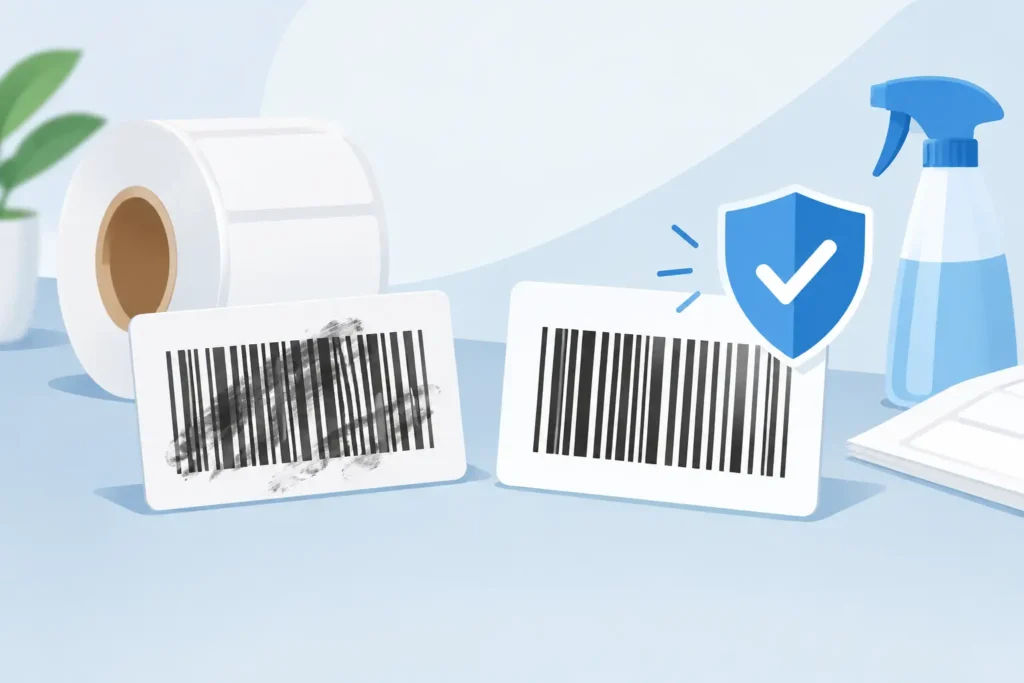
A barcode can look acceptable to the eye and still fail at the point of scan. A slightly smeared edge, a ribbon that has not fully transferred, or an ink surface rubbed during handling can turn a fast receiving, shipping, or inventory transaction into a manual exception. Knowing how to prevent barcode smudging starts with treating the label as part of the operating environment, not simply as a piece of printed label material.
For warehouses, manufacturers, healthcare teams, and field operations, barcode quality depends on the full labeling system: the label material, adhesive, ribbon, printer condition, print settings, application process, and the conditions the label faces after it leaves the printer. Solving only one part of that system may reduce a symptom, but it rarely delivers consistent scanning performance.
Start With the Cause of the Smudge
Not all barcode defects have the same cause. A wax ribbon that is suitable for a clean, short-term shipping label may smear when exposed to abrasion or moisture. A resin ribbon may resist rubbing but can perform poorly if it is paired with the wrong synthetic material or printed with insufficient heat. In direct thermal applications, the label itself is heat-sensitive, so contact with heat, friction, or chemicals can darken the image and reduce contrast.
First, determine when the smear occurs. If it appears as labels leave the printer, inspect print settings, ribbon compatibility, and printhead condition. If labels print cleanly but fail later, review handling, storage, exposure, and the surface to which labels are applied. This distinction prevents teams from replacing supplies when the actual issue is a damaged platen roller, incorrect darkness setting, or an application that requires a more durable construction.
A practical test is to print several labels, scan them, and lightly rub the barcode with a dry finger or clean cloth. Then repeat the test after the label has been exposed to the real conditions it will encounter, such as freezer storage, conveyor contact, outdoor humidity, chemical wipe-down, or repeated handling. The results should guide material selection rather than assumptions.
How to Prevent Barcode Smudging With the Right Print Method
The printing technology should match the intended label life and environment. Direct thermal printing is efficient for short-life labels such as shipping labels, receipts, and temporary pick labels. There is no ribbon to manage, and the process can be cost-effective at high volume. The trade-off is durability. Direct thermal images can fade or darken when exposed to heat, sunlight, friction, plasticizers, or certain chemicals.
Thermal transfer printing uses a ribbon to create the image on the label surface. It is usually the better option when labels must remain readable through transportation, storage, handling, or industrial exposure. The ribbon formulation matters as much as the printer.
Wax ribbons are generally appropriate for economical paper labels used in controlled environments. Wax-resin ribbons provide improved abrasion resistance and are often a sound choice for warehouse identification, inventory labels, and many shipping applications. Resin ribbons provide the highest resistance to abrasion, moisture, and chemicals when used with compatible synthetic label stocks, making them appropriate for demanding applications such as asset tracking, laboratory identification, outdoor use, and durable product marking.
The strongest ribbon is not automatically the right answer. Resin ribbons cost more and may require higher print energy. If a standard synthetic label will be exposed to oil or aggressive cleaning chemicals, a resin ribbon alone may not solve the problem. The face stock, topcoat, adhesive, and ribbon need to be specified as a compatible combination.
Match Label Materials to the Operating Environment
A label’s face stock determines how well the printed image holds up. Paper labels work well for dry, low-abrasion uses, but they can absorb moisture, scuff easily, and tear. Coated paper can improve print quality and resistance, yet it still has limits in harsh conditions.
For demanding applications, synthetic materials such as polypropylene, polyester, polyethylene, and vinyl can provide stronger resistance to water, abrasion, and environmental exposure. Each has different strengths. Polypropylene is common for moisture-resistant product labels. Polyester is often selected for durable asset and equipment labels because of its dimensional stability and resistance to heat and chemicals. Flexible materials may be better for curved containers or squeeze bottles.
Adhesive selection deserves the same attention. A durable barcode on a label that lifts at the corner is still a failed identification solution. Cold surfaces, textured plastics, corrugated packaging, oily metal, recycled content, and outdoor equipment all require adhesive performance that should be tested under actual conditions. Labels applied to dusty or wet surfaces are especially likely to fail, regardless of print quality.
Set the Printer for a Clean, Durable Image
Darkness and speed settings have a direct effect on smudging. Excessive darkness can put too much ribbon or thermal energy onto the label, causing bars to spread, edges to soften, and the image to rub off more easily. Insufficient darkness can create pale bars, incomplete transfer, and weak scan contrast. The correct setting is the lowest energy level that produces a crisp, fully scannable image.
Printing too fast can also reduce transfer quality, particularly on small barcodes, dense symbols, coated materials, and synthetic labels. Slowing the printer may improve edge definition and ribbon adhesion. This is a worthwhile trade-off when label failures are creating rescans, relabeling, shipment delays, or traceability risks.
Printhead condition is another frequent source of inconsistent output. A dirty printhead can cause missing dots and streaks. A worn printhead can create voids that make a barcode difficult to read. Clean the printhead according to the printer manufacturer’s recommendations, using approved supplies and allowing it to dry fully before printing. Inspect and clean the platen roller as well, since buildup or wear can affect pressure and image consistency.
Maintain correct ribbon tension and loading. Wrinkled ribbons can leave uneven transfer marks or blank areas across a barcode. Confirm that the ribbon is approved for the printer model and that the coated side is facing the label material correctly. Small setup errors can create recurring quality problems across an entire production run.
Control Handling Before and After Application
Even a properly printed barcode can smear when handled before it has cooled or fully stabilized. Avoid stacking freshly printed labels in a way that creates pressure and friction on the image. In automated labeling operations, confirm that applicator brushes, tamp pads, belts, rollers, and guides are not dragging across the printed barcode area.
Barcode placement also matters. Put the barcode where normal handling is least likely to rub it. A carton barcode placed directly under stretch wrap, against a conveyor contact point, or near an opening seam may experience more abrasion than one placed on a protected flat panel. For reusable totes, bins, and assets, consider recessed label areas or protective laminate options when physical contact is unavoidable.
Storage conditions can affect labels before they are ever applied. Keep label rolls and ribbons in a clean, dry, temperature-controlled area. Excessive heat can damage direct thermal stocks, while dust and debris can contaminate adhesive surfaces and printer components. Use stock rotation so older supplies are used first, and keep materials in their protective packaging until needed.
Verify Barcode Quality Instead of Relying on Appearance
A barcode scanner is a useful operational check, but it does not fully measure print quality. A label might scan with one device under ideal conditions and fail with another scanner, from a different angle, or after minor wear. For critical identification programs, barcode verification provides a more reliable assessment of contrast, edge definition, defects, and compliance with applicable barcode standards.
Build quality checks into the workflow at the point where they can prevent rework. For example, inspect the first labels of each shift, after ribbon or label changes, after printer maintenance, and whenever a new material combination is introduced. If the application is high consequence, such as medical specimen tracking, regulated product labeling, serialized inventory, or production traceability, document the approved printer settings and supplies for each label format.
When diagnosing a recurring issue, compare a good label and a failed label from the same workflow. Look for changes in label lot, ribbon lot, printer, operator setup, storage conditions, and exposure. This makes the problem measurable and helps prevent a cycle of changing multiple variables at once.
Build a Labeling System That Holds Up
Preventing barcode smudging is not about buying the most expensive ribbon or increasing printer darkness until the image looks bold. It is about selecting a tested combination that fits the job: compatible labels and ribbons, maintained equipment, controlled settings, and handling practices that protect the image through its useful life.
For operations with multiple printers, sites, label formats, or environmental demands, standardizing those combinations is often the biggest improvement. A labeling partner such as PaladinID can help evaluate the full application and identify where materials, hardware, or workflow changes will produce more dependable scanning. The best barcode is the one that scans correctly the first time, after real handling, exactly where your operation needs it.
At PaladinID, we understand that every labeling application is different.
That’s why companies across the country trust us to help them identify the right solution for their business. With over 40 years of experience and one of the industry’s largest selections of labeling products, we make it easy to find the right fit for your operation. Whether you need stock products or a custom-built solution, our team is ready to help. Visit our online catalog, Email us, or call us today at 888.972.5234.
PaladinID delivers label solutions that stick!

Got Labeling Questions? Our AI Assistant Has Answers - Chat Now!
For more information on PaladinID
Get Help With Your Next Label Project
We have over 35 years of providing exceptional service and labeling products to the world. Take the first step to an easy, stress-free solution for your label needs by contacting us.
Schedule a call below or email [email protected]
Make Your Mark
“Making companies more competitive by offering the correct label printing solution, on time, within budget, while creating unmatched value”.
About PaladinID, LLC
PaladinID develops and supports high-performance barcode labeling applications. We work with our clients to “Make Your Mark” by providing the expertise and tools necessary to create an entire product label printing solution. Located in central New Hampshire, PaladinID has been serving Massachusetts, Vermont, Maine, Connecticut, Rhode Island, New England, and beyond for over 30 years, and in 2017, became an RFID-certified company. We look forward to working with you.
You may be interested in our other services:
Product Labels
Product Labels
Labels for every type of application: Blank, Pre-printed, Variable data
Label Printers
Label Printers
We sell and support: Direct/thermal transfer, Inkjet, Laser
Printer Ribbons
Printer Ribbons
We sell ribbons for ALL barcode printers including: Zebra, Datamax, Sato, Intermec
Flexible Packaging
Flexible Packaging
We offer a wide variety of packaging containers for your products.
Label Software
Label Software
Software for all barcode printing and product labeling.
Label applicators
Label Applicators
Wide selection of applicators: Desktop/Mobile, Applicator only, Print & apply
