
How to Choose Label Printers for Your Operation




What Can We Help You With?
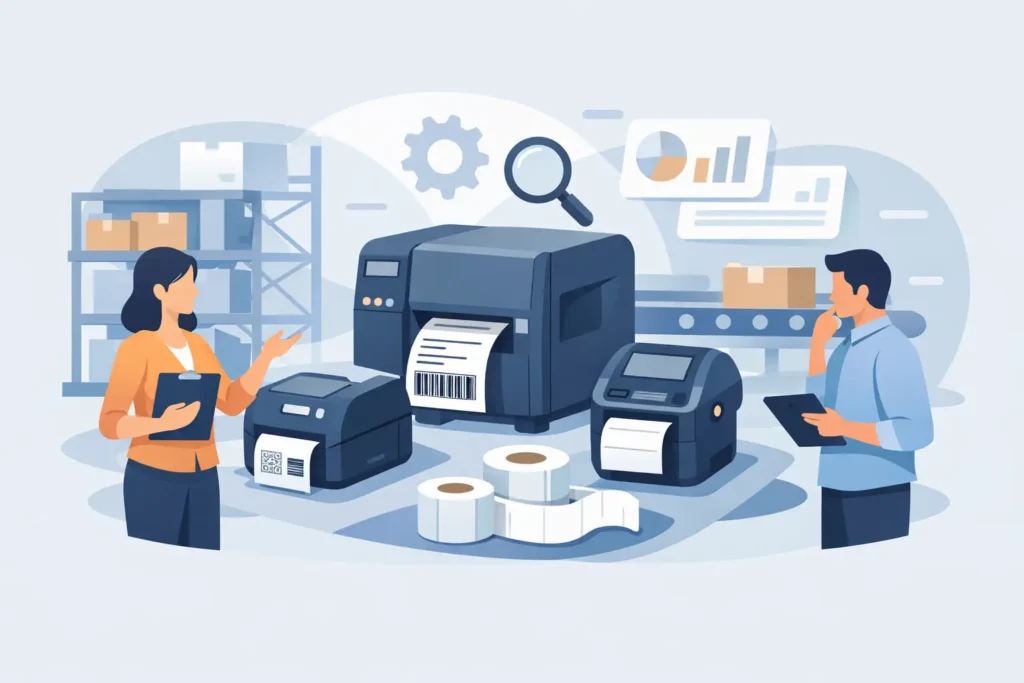
A label printer becomes a critical piece of operational equipment the moment a missed scan delays a shipment, a faded label interrupts traceability, or a workstation cannot keep up with production. Knowing how to choose label printers starts with the work the labels must perform, not with a printer model or purchase price. The right system produces readable, durable identification at the speed and scale your operation requires.
For warehouse, manufacturing, healthcare, and compliance applications, a printer is only one part of the system. Label material, ribbon, barcode format, software, connectivity, and operator workflow all affect the result. A printer that appears economical at purchase can create recurring downtime and relabeling costs if those elements are not matched to the application.
Start With the Label Application
Before comparing printer specifications, define what the label identifies, where it will be applied, and how long it must remain readable. A shipping label used for a few days in a controlled environment has very different requirements than an asset label exposed to chemicals, outdoor weather, abrasion, or extreme temperatures.
Consider the surface first. Corrugated cartons, plastic totes, metal components, drums, cables, pallets, vials, and curved containers each present different adhesion and print-performance challenges. A label that adheres well to a clean cardboard box may fail on a cold, textured, oily, or low-surface-energy plastic item.
Then consider exposure. Heat, moisture, UV light, solvents, freezers, washdown processes, and handling wear can affect both the label face stock and the adhesive. If a barcode must be scanned throughout a product’s lifecycle, the print must remain dark and sharp enough for scanners to read it consistently. This is where media selection matters as much as the printer itself.
Also document the data on the label. A simple product name and static logo need less capability than labels containing lot numbers, serial numbers, dates, linear barcodes, 2D codes, variable weights, or regulatory information. Labels carrying variable data usually benefit from software and data integration that reduce manual entry and prevent costly identification errors.
How to Choose Label Printers by Print Technology
Most business and industrial label printers use direct thermal or thermal transfer technology. Both can produce high-quality barcodes, but they solve different operational problems.
Direct thermal for short-life labeling
Direct thermal printers create an image by applying heat directly to chemically treated label material. They do not use a ribbon, which simplifies supply management and can reduce per-label consumable costs. This method is commonly used for shipping labels, receipts, temporary work-in-process labels, and short-duration inventory identification.
The trade-off is durability. Direct thermal images can darken or fade when exposed to heat, sunlight, friction, or certain chemicals. It is a sound choice when the label’s useful life is short and the environment is relatively controlled. It is not usually the best fit for long-term asset tracking, outdoor applications, or labels that must withstand harsh handling.
Thermal transfer for durable identification
Thermal transfer printing uses a ribbon to transfer ink onto the label or tag. The combination of printer, ribbon, and material can be selected for the required level of resistance to abrasion, moisture, chemicals, heat, or UV exposure. This makes thermal transfer a common choice for product identification, asset labels, laboratory labeling, industrial tags, and compliance applications.
Thermal transfer requires ribbon management, but that additional component provides far more flexibility. Wax ribbons can serve many paper-label applications, while wax-resin and resin ribbons support more demanding environments and synthetic materials. The best ribbon is not necessarily the most durable option. It is the option compatible with the chosen label stock and the real conditions the label will face.
Match Print Width and Resolution to the Label Design
Print width determines the widest label the printer can handle. Four-inch printers are widely used for shipping, carton, inventory, and many product-labeling applications. Wider models are often needed for pallet labels, large chemical or compliance labels, lumber and pipe identification, and GHS-format requirements. Selecting a printer with too little width may force a redesign of the label or create a second labeling process later.
Resolution is measured in dots per inch, commonly 203, 300, or 600 dpi. A 203 dpi printer is often appropriate for standard barcodes, shipping labels, and larger text. A 300 dpi printer provides greater clarity for smaller text, compact 2D codes, detailed graphics, and dense product labels. A 600 dpi printer may be necessary for very small labels, electronics identification, laboratory samples, or highly detailed print.
Higher resolution is not automatically better. It can add cost and may reduce print speed. If labels are large and barcodes are standard size, a 203 dpi industrial printer may deliver the most practical balance of output, reliability, and cost.
Calculate Volume, Speed, and Duty Cycle Honestly
A printer that handles several hundred labels per day may not perform well at a busy packing station printing thousands of labels over a shift. Estimate average daily volume, peak hourly volume, and the consequences if the printer is unavailable. Peak demand matters most because that is when bottlenecks appear.
Desktop printers can be suitable for lower-volume administrative, retail, office, or occasional labeling tasks. Industrial printers are built for sustained use, larger media rolls, faster print speeds, and more demanding environments. They generally offer stronger construction, more configuration options, and serviceability that supports long-term use on the production floor or in the warehouse.
Do not select speed in isolation. A fast printer cannot correct label application delays, manual data entry, or a poor media match. Look at the complete station: how labels are generated, loaded, printed, verified, applied, and replenished. In some operations, adding a second printer at a high-volume location offers more value than purchasing one oversized unit and accepting a single point of failure.
Plan for Connectivity and Systems Integration
The printer must communicate reliably with the systems that create label data. Depending on the application, that could include an ERP, WMS, MES, shipping platform, laboratory information system, database, or a standalone labeling application.
Start by identifying where the data originates and who controls it. If operators need to select a product, scan a work order, and print a label, the interface should support that workflow without asking them to retype variable information. If labels are triggered automatically from an order or production event, verify that the software, printer language, drivers, and network configuration can support the integration.
Wired Ethernet is often preferred for fixed industrial locations because it offers stable network access. Wi-Fi can be useful for mobile carts, flexible work cells, and changing warehouse layouts. USB may be sufficient for a single local workstation. Bluetooth is more common in mobile and small-format applications. The right choice depends on the physical environment, IT standards, and how critical uninterrupted printing is to the process.
Evaluate Media Capacity and Operator Workflow
Consumable changes are a routine part of labeling, but excessive changeovers consume labor and create opportunities for errors. Industrial printers typically accept larger label rolls and longer ribbon rolls, reducing the number of interruptions during a shift. That matters in high-volume operations, especially when a printer supports shipping, receiving, production, and inventory teams.
Review how easily operators can load media, calibrate sensors, clear jams, and replace printheads. A printer should be serviceable by trained personnel without turning a simple supply change into a maintenance call. Clear displays, accessible media paths, and dependable calibration help keep labels moving when production is under pressure.
It is also useful to standardize label sizes and ribbon types where possible. Standardization simplifies purchasing, training, inventory management, and troubleshooting. However, do not force every application into one label construction if different environments require different materials.
Consider RFID and Verification Requirements
Some operations need more than a printed barcode. RFID labels can support faster bulk identification, asset visibility, and automated tracking where line-of-sight scanning is impractical. RFID printing and encoding requires compatible printers, labels, inlays, and a process designed around read performance. It should be evaluated as a workflow decision, not simply as a hardware upgrade.
For regulated, high-value, or high-volume barcode processes, verification may also be warranted. A barcode can look acceptable to the eye yet fail scan-quality requirements. Verification tools help identify print issues before mislabeled products leave the facility or enter a downstream process.
Compare Total Cost of Ownership and Support
The least expensive printer is rarely the lowest-cost solution over its working life. Factor in media and ribbon usage, printhead replacement, maintenance, expected uptime, operator labor, software needs, and the cost of failed labels. For an operation that relies on accurate identification, a few hours of printing downtime can exceed the initial savings of a lower-grade device.
Support should be part of the selection process, particularly when labels are tied to compliance, shipping deadlines, or production traceability. A dependable partner can help validate materials, configure equipment, troubleshoot print quality, and plan for expansion. PaladinID approaches printer selection as part of a complete identification system, helping teams align hardware, consumables, software, and service with the demands of the application.
The most useful next step is to collect a few real label samples, document the conditions they face, and map the workflow from data source to application. That evidence will point to a printer system that keeps identification accurate when your operation is moving fastest.
At PaladinID, we understand that every labeling application is different.
That’s why companies across the country trust us to help them identify the right solution for their business. With over 40 years of experience and one of the industry’s largest selections of labeling products, we make it easy to find the right fit for your operation. Whether you need stock products or a custom-built solution, our team is ready to help. Visit our online catalog, Email us, or call us today at 888.972.5234.
PaladinID delivers label solutions that stick!


Got Labeling Questions? Our AI Assistant Has Answers - Chat Now!
For more information on PaladinID
Get Help With Your Next Label Project
We have over 35 years of providing exceptional service and labeling products to the world. Take the first step to an easy, stress-free solution for your label needs by contacting us.
Schedule a call below or email [email protected]
Make Your Mark
“Making companies more competitive by offering the correct label printing solution, on time, within budget, while creating unmatched value”.
About PaladinID, LLC
PaladinID develops and supports high-performance barcode labeling applications. We work with our clients to “Make Your Mark” by providing the expertise and tools necessary to create an entire product label printing solution. Located in central New Hampshire, PaladinID has been serving Massachusetts, Vermont, Maine, Connecticut, Rhode Island, New England, and beyond for over 30 years, and in 2017, became an RFID-certified company. We look forward to working with you.
You may be interested in our other services:
Product Labels
Product Labels
Labels for every type of application: Blank, Pre-printed, Variable data
Label Printers
Label Printers
We sell and support: Direct/thermal transfer, Inkjet, Laser
Printer Ribbons
Printer Ribbons
We sell ribbons for ALL barcode printers including: Zebra, Datamax, Sato, Intermec
Flexible Packaging
Flexible Packaging
We offer a wide variety of packaging containers for your products.
Label Software
Label Software
Software for all barcode printing and product labeling.
Label applicators
Label Applicators
Wide selection of applicators: Desktop/Mobile, Applicator only, Print & apply
