
Zebra Industrial Printer Review for Operations Teams


What Can We Help You With?
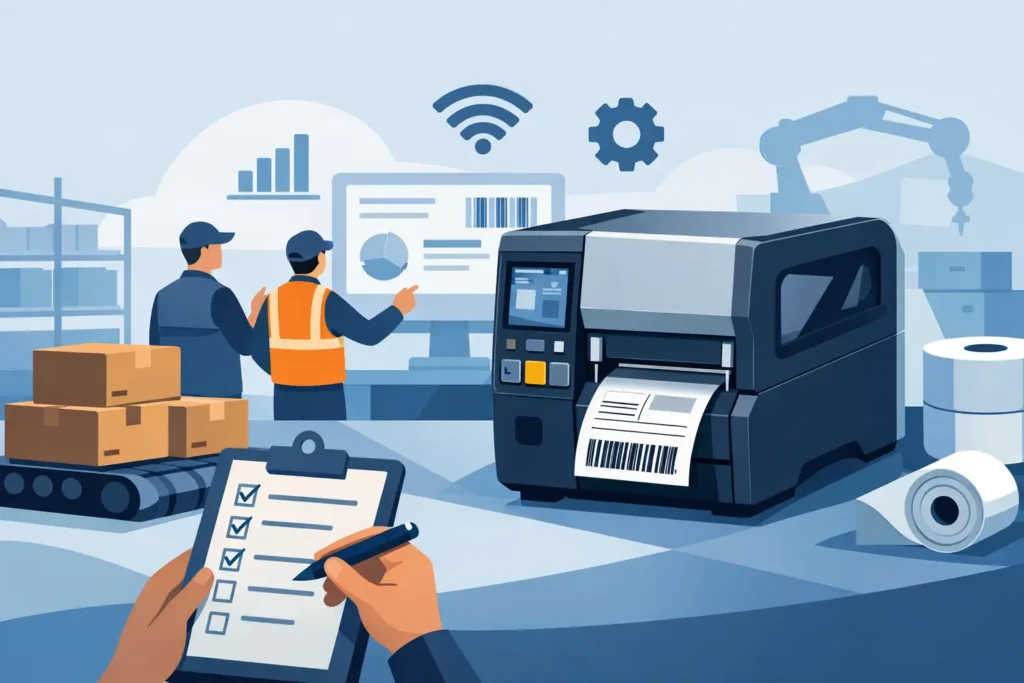
A printer that works perfectly on a bench but stalls at shift change, produces unreadable compliance labels, or cannot keep pace with receiving is not an industrial solution. This Zebra industrial printer review looks at where Zebra industrial printers deliver value, where buyers need to be careful, and how to select a configuration that fits the full labeling workflow.
Zebra Industrial Printer Review: The Short Verdict
Zebra industrial printers are a strong choice for organizations that need consistent barcode quality, dependable throughput, and configuration options for demanding labeling operations. Across the product line, Zebra has built a reputation for printers that support warehouse, manufacturing, shipping, asset tracking, healthcare, and compliance applications where downtime and poor scan performance create real operational costs.
The main advantage is not simply the printer hardware. Zebra offers an established platform with broad media support, multiple connectivity options, common print languages, management tools, and models that scale from moderate daily volume to continuous production use. That matters to teams standardizing labels across multiple workstations, facilities, or business units.
The trade-off is that selecting a Zebra industrial printer requires more thought than selecting a basic desktop unit. Print width, resolution, duty cycle, media type, ribbon requirements, connectivity, software, and label environment all affect the right choice. A capable printer paired with the wrong label material or ribbon can still produce failures in the field.
Where Zebra Industrial Printers Perform Well
Zebra industrial printers are designed for operations that print labels throughout the day and cannot afford frequent recalibration, weak barcodes, or media handling problems. Their metal construction, higher-capacity media supplies, and serviceable components generally make them better suited to industrial work than entry-level desktop printers.
In warehouse and distribution environments, consistency is often the priority. Shipping labels, pallet labels, rack labels, carton identification, and receiving labels must scan correctly as they move between systems, forklifts, dock doors, and customer facilities. Zebra printers are commonly selected because they can support the recurring volume and variable-data demands of these workflows.
Manufacturing teams benefit from printing durable work-in-process, component, product, and compliance labels. Depending on the printer and media combination, applications may require small text, dense barcodes, high-resolution graphics, or labels that tolerate abrasion, chemicals, heat, moisture, or outdoor exposure. The printer is only one part of that result, but Zebra provides the printing platform needed for many of these applications.
For IT and systems teams, Zebra’s broad adoption can also reduce integration friction. Many existing warehouse management systems, enterprise resource planning platforms, and labeling applications already support Zebra print languages or have established configurations for Zebra devices. That does not remove the need for testing, but it can make standardization more practical.
Strengths That Matter in Daily Operations
Print quality and barcode reliability
Industrial labeling is not judged by how a label looks at the printer. It is judged by whether the barcode scans after handling, transport, storage, and exposure to the application environment. Zebra industrial models offer direct thermal and thermal transfer options, with resolution choices that help match the printer to the barcode size and label detail required.
For standard shipping and warehouse labels, a common resolution may be sufficient. For small electronics labels, laboratory labels, product identification with dense two-dimensional codes, or labels with fine text, higher resolution can be worth the investment. Buyers should validate the actual barcode grade and scanning performance with their scanners and expected label design rather than assume any resolution will work.
Media handling and application flexibility
Zebra’s industrial range supports a broad selection of label sizes, ribbon types, and media constructions. This is useful for organizations that need more than one label application, such as paper shipping labels at a dock and durable synthetic asset labels in a maintenance area.
However, flexibility should not be confused with interchangeability. Direct thermal labels are convenient for short-life applications such as shipping and receipt labels, but they can fade with heat, sunlight, and time. Thermal transfer printing, with the right ribbon and facestock, is usually the better path for durable identification. Selecting media based on the application conditions is often more important than moving to a higher-priced printer model.
Connectivity and fleet management
Ethernet, USB, serial, wireless, and Bluetooth capabilities vary by model and configuration. This gives operations teams options for fixed production stations, mobile carts, networked warehouse locations, and environments where cabling is difficult. Some models also support remote management and visibility features that help IT teams monitor printer status, apply settings, and address issues across a fleet.
That capability is valuable when printers are deployed at multiple sites. A printer fleet becomes harder to manage when each location uses different drivers, label formats, consumables, and troubleshooting procedures. Standardizing hardware and configuration can reduce support burden over time.
The Trade-Offs Buyers Should Consider
The first trade-off is price. Industrial Zebra printers cost more than desktop equipment, and the initial hardware price may not include every option a specific workflow needs. Peel-and-present functions, cutters, RFID capability, wireless connectivity, applicator interfaces, and higher print resolutions can change the final configuration and cost.
The second trade-off is complexity. A printer must be calibrated for the media, loaded correctly, configured for the label format, and connected reliably to the source system. Industrial printing is not difficult when it is set up correctly, but installation shortcuts can create recurring issues that appear to be hardware problems.
The third is model fit. A high-volume printer may be excessive for a single shipping desk with modest daily volume. Conversely, choosing a lighter-duty model for a production line or a busy distribution center can lead to more maintenance interruptions and earlier replacement. The right purchase reflects the actual work cycle, not just the peak number of labels printed on one busy day.
Choosing the Right Zebra Model Class
Zebra’s industrial portfolio includes options that address different print widths, duty cycles, resolutions, and application needs. The ZT200 Series is often considered for organizations moving into more capable industrial labeling without requiring the highest-volume configuration. The ZT400 Series is a common fit for broad warehouse and manufacturing use, especially where adaptability, connectivity, and multiple label applications are needed.
For higher-volume and more demanding production environments, buyers may evaluate models such as the ZT510 or ZT600 Series. These printers are intended for sustained use and can be appropriate where label production is central to the operation. Wide-format requirements, including large pallet labels and certain lumber, chemical, or industrial identification labels, may require a wider printer rather than a standard four-inch model.
RFID labeling introduces another level of selection. RFID-capable printers can encode and print tags for inventory visibility, asset tracking, and automated identification workflows, but performance depends on tag construction, inlay placement, data requirements, and the read environment. Test RFID as a complete application, not as a feature based on a future possibility.
Questions to Answer Before Approval
Before selecting a printer, procurement and operations teams should define the real application. Four questions prevent many expensive mismatches:
- What label sizes, materials, adhesives, and ribbon types will be used in each application?
- How many labels will be printed per shift, and when do peak-volume periods occur?
- What barcode symbologies, print resolution, and scan-quality requirements apply?
- How will the printer connect to labeling software, business systems, scanners, and the network?
It is also useful to identify who will own daily operation, media replenishment, troubleshooting, and preventive maintenance. A labeling system performs better when operators have clear procedures and when IT, operations, and procurement agree on the standards before deployment.
Total Cost Depends on More Than Hardware
A fair Zebra industrial printer review should account for lifecycle cost, not just purchase price. Labels and ribbons are recurring expenses, and poor consumable selection can increase costs through reprints, damaged printheads, failed scans, and product relabeling. Media quality, ribbon compatibility, print darkness, cleaning practices, and the physical condition of the label path affect printhead life.
Support also has measurable value. When a line is waiting on a product label or a shipping department cannot print carrier labels, the impact can exceed the cost difference between printers. Working with a supplier that can evaluate the printer, label stock, ribbon, software, and operating environment together helps prevent disconnected decisions.
PaladinID approaches industrial printing as part of an identification system, helping organizations align equipment with durable labels, compatible ribbons, variable-data requirements, and the support needed to keep operations moving.
A productive next step is to gather actual label samples, expected volumes, barcode specifications, and environmental details before comparing models. Testing those materials in the intended workflow will show far more than a specification sheet and give your team a sound basis for a long-term printer decision.
At PaladinID, we understand that every labeling application is different.
That’s why companies across the country trust us to help them identify the right solution for their business. With over 40 years of experience and one of the industry’s largest selections of labeling products, we make it easy to find the right fit for your operation. Whether you need stock products or a custom-built solution, our team is ready to help. Visit our online catalog, Email us, or call us today at 888.972.5234.
PaladinID delivers label solutions that stick!


Got Labeling Questions? Our AI Assistant Has Answers - Chat Now!
For more information on PaladinID
Get Help With Your Next Label Project
We have over 35 years of providing exceptional service and labeling products to the world. Take the first step to an easy, stress-free solution for your label needs by contacting us.
Schedule a call below or email [email protected]
Make Your Mark
“Making companies more competitive by offering the correct label printing solution, on time, within budget, while creating unmatched value”.
About PaladinID, LLC
PaladinID develops and supports high-performance barcode labeling applications. We work with our clients to “Make Your Mark” by providing the expertise and tools necessary to create an entire product label printing solution. Located in central New Hampshire, PaladinID has been serving Massachusetts, Vermont, Maine, Connecticut, Rhode Island, New England, and beyond for over 30 years, and in 2017, became an RFID-certified company. We look forward to working with you.
You may be interested in our other services:
Product Labels
Product Labels
Labels for every type of application: Blank, Pre-printed, Variable data
Label Printers
Label Printers
We sell and support: Direct/thermal transfer, Inkjet, Laser
Printer Ribbons
Printer Ribbons
We sell ribbons for ALL barcode printers including: Zebra, Datamax, Sato, Intermec
Flexible Packaging
Flexible Packaging
We offer a wide variety of packaging containers for your products.
Label Software
Label Software
Software for all barcode printing and product labeling.
Label applicators
Label Applicators
Wide selection of applicators: Desktop/Mobile, Applicator only, Print & apply
