
Thermal Inkjet vs Laser Labels: Best Fit?




What Can We Help You With?
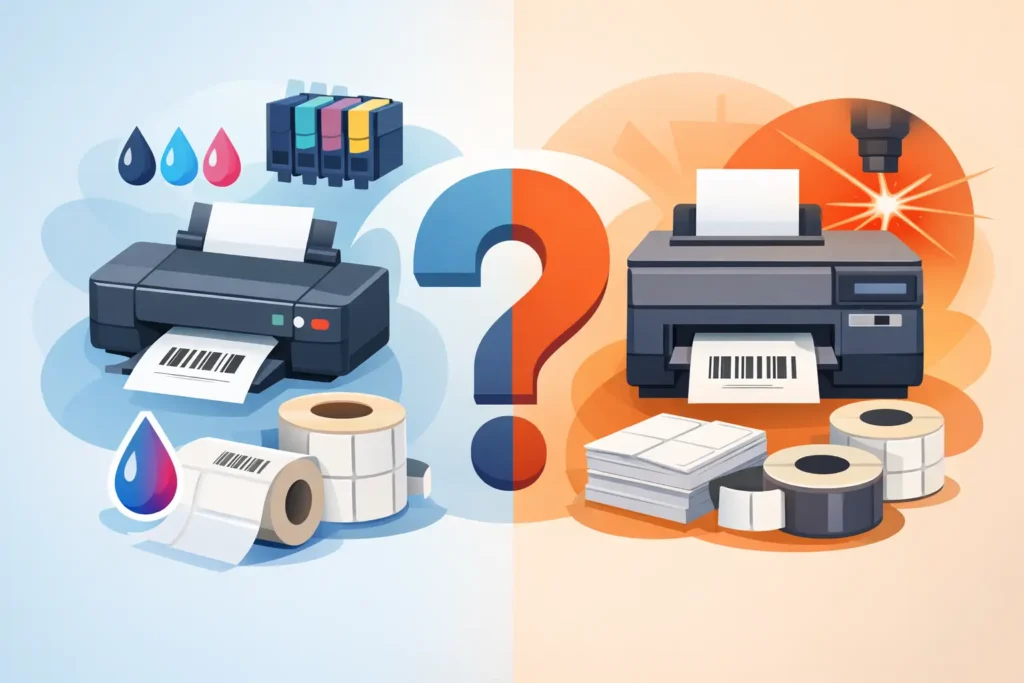
A label that looks perfectly fine coming out of the printer can still fail at a scan tunnel, on a freezer rack, or after a shipment travels through multiple distribution centers. That’s why choosing between thermal inkjet and laser labels should start with your application, not simply the equipment already sitting in your office.
Your printing technology plays a major role in barcode consistency, material compatibility, production speed, maintenance requirements, and the long-term reliability of your labeling operation.
For operations teams, the decision isn’t simply about which printer produces the sharpest image. Both technologies can deliver crisp text, graphics, and variable data. What really matters is whether the printer, adhesive, facestock, label format, and operating environment work together to meet the demands of your application.
Thermal Inkjet vs Laser Labels: The Core Difference
Thermal inkjet printing works by placing microscopic drops of ink directly onto the label surface. Depending on the printing system and ink formulation, this process can produce sharp barcodes, fine text, color graphics, and detailed product information without direct contact between the printhead and the media.
Thermal inkjet systems are often selected for short-run color labeling, variable information, and applications where printing flexibility is important.
Laser printing uses an electrostatic imaging process. Toner is transferred onto the label and then fused into place using heat and pressure. Laser-compatible label sheets are commonly used in office and administrative environments, particularly for shipping labels, product labels, asset tags, and compliance documentation printed in moderate quantities.
It’s also important not to confuse either process with direct thermal or thermal transfer printing. Direct thermal uses heat-sensitive media, while thermal transfer uses a ribbon and heat to create an image. These technologies are widely used in industrial barcode applications because they support durable materials, high-volume printing, and purpose-built label printer configurations.
Understanding these differences is essential when comparing thermal inkjet and laser labels and determining which technology best fits your operation.
Barcode Quality Depends on More Than Resolution
Both laser and thermal inkjet printers may advertise high print resolution, but barcode performance depends on much more than the printer’s DPI rating.
A barcode needs sufficient edge definition and contrast for scanners to read it reliably. At the same time, the label surface must prevent excessive ink spreading, toner flaking, or image distortion.
Laser labels generally perform well for indoor barcode applications when the label stock is specifically designed to withstand the printer’s fuser temperature. Toner produces a dense black image that can scan reliably on paper labels, provided the printer is properly maintained and the label sheets feed correctly.
For office-based asset tracking, internal file labels, and low-to-medium-volume product identification, this level of performance may be sufficient.
Thermal inkjet printing can produce very clean barcode edges and is especially useful when small text, product graphics, and variable information need to appear together on a single label.
However, print quality depends heavily on the ink and label coating. For example, porous, uncoated paper labels can absorb ink, softening narrow barcode lines and small characters. Properly matched inkjet-coated label stock helps control dot gain and maintain the contrast needed for reliable barcode scanning.
Regardless of the printing technology, it’s important to validate the actual barcode symbology, x-dimension, scanner type, and print speed.
A barcode that scans successfully once at a desk doesn’t necessarily indicate a reliable production process. Verification testing becomes especially valuable when labels are small, codes are dense, or labels are applied to curved, dark, reflective, or uneven surfaces.
Durability Is Usually the Deciding Factor
One of the biggest differences between thermal inkjet and laser labels becomes apparent after the label leaves the printer.
Moisture, abrasion, chemicals, sunlight, temperature changes, and everyday handling can quickly expose a mismatch between the printing method and the application.
Standard laser labels are frequently paper-based and designed for indoor use. They can be an economical and practical solution for carton labels, records management, internal inventory, and administrative identification.
However, the heat generated by a laser printer’s fuser limits which label materials and adhesives can safely pass through the printing process. Certain films may curl, distort, release adhesive, or even damage the printer when exposed to fusing temperatures.
Thermal inkjet labels provide greater flexibility in appearance and can support color-coded workflows, branded product labels, and detailed graphics. However, print durability varies depending on the ink chemistry.
- Dye-based inks: Can produce vibrant colors but may be more vulnerable to moisture and ultraviolet exposure than pigment inks.
- Pigment-based inks: Generally provide better water resistance and fade resistance, although the selected label coating still plays an important role.
If your labels need to withstand washdowns, outdoor exposure, oils, solvents, freezer conditions, or repeated abrasion, neither a standard laser sheet nor a basic inkjet paper label should automatically be considered suitable.
These demanding applications typically require purpose-designed label materials, permanent or specialty adhesives, and often thermal transfer printing with the appropriate ribbon.
The entire label construction should be tested on the actual surface and under the real-world conditions it will encounter.
Speed, Volume, and Workflow Fit
Laser printing can be an efficient option for businesses producing full sheets of labels in batches. It’s especially convenient when the same office printer handles both documents and labels, and employees need to print several labels at once from a desktop system.
However, sheet-based printing can create unnecessary waste and limit flexibility. If only one label on a partially used sheet needs replacing, the remaining sheet format can make it difficult to print exactly what is needed. Reusing or storing label sheets in humid conditions can also create alignment and feeding issues.
Thermal inkjet systems are often well suited to on-demand printing, particularly when labels contain variable information such as lot numbers, expiration dates, serial numbers, or customer-specific data.
Depending on the printer configuration, rolls or fanfold media can reduce the manual handling associated with sheet labels. Color-printing capabilities can also reduce the need for preprinted labels when visual status indicators, handling instructions, or product branding change frequently.
When evaluating higher industrial volumes, don’t focus exclusively on pages or labels printed per minute.
Consider the complete workflow:
- How easily can operators load and change media?
- How frequently do cartridges or other consumables need replacing?
- Does print quality remain consistent during longer production runs?
- How easily does the system integrate with your warehouse management system, ERP, or labeling software?
A process that works efficiently for a 50-label batch may quickly become a bottleneck when production increases to 10,000 labels per shift.
Cost Should Include Rework and Downtime
The initial printer purchase price is only one part of the overall cost.
Laser printing may appear more economical because many organizations already own compatible equipment. However, those savings can disappear if employees waste partially used label sheets, printer jams interrupt shipping, or incompatible label materials damage fuser components.
Specialized laser label materials also typically cost more than ordinary paper because they must withstand the printer’s heat-based fusing process.
Thermal inkjet systems eliminate the need for toner cartridges and fusers, but ink costs can add up, particularly when printing large graphics or using extensive color coverage.
Printhead design is another consideration. Some systems use replaceable printheads integrated into their cartridges, while others require separate printhead maintenance and replacement.
Label media quality also directly affects ink consumption, image quality, and overall printing reliability.
The most useful way to compare these technologies is to calculate the cost per successful, applied, readable label.
Your comparison should include:
- Ink, toner, and other consumables.
- Employee and operator time.
- Rejected or wasted labels.
- Equipment maintenance and service.
- Label inventory and supply complexity.
- The cost of a mislabeled shipment or unscannable asset.
For regulated products and traceability-sensitive applications, labeling errors can carry consequences that extend far beyond the cost of the materials themselves.
Questions to Ask Before Specifying a System
Before investing in a new printing system, take a closer look at what your labels actually need to accomplish.
Start with the label’s intended purpose. Is it identifying an internal storage location for a few months, or will it carry traceability information throughout manufacturing, transportation, and customer use?
Consider how the label will be scanned or inspected. Will employees use handheld scanners at close range? Can labels pass through fixed scanning equipment? Will customers need to inspect the information?
Does the application require color, and is that color operationally useful or simply a visual preference?
Next, evaluate the environment where the label will be used.
Paper labels can be appropriate for clean, dry indoor environments. Film labels may be necessary when moisture and abrasion are concerns. Adhesive selection also changes depending on whether labels are applied to corrugate, powder-coated metal, plastic drums, rough lumber, cold products, or recycled surfaces.
Printer selection should never be separated from these material decisions.
Finally, consider who will manage and maintain the labeling system. A dependable labeling program requires approved label specifications, compatible printer settings, controlled templates, and a clear plan for supply replenishment and technical support.
PaladinID helps organizations evaluate these components as one complete labeling system rather than treating the printer and label stock as unrelated purchases.
The right solution may be a laser printer for controlled, indoor batch printing, a thermal inkjet system for flexible, on-demand color output, or an entirely different industrial printing technology for demanding, high-volume applications.
The best next step is to print representative samples, apply them in the field, and evaluate how they perform under actual handling and environmental conditions.
PaladinID – We Don’t Just Sell Labels. We Solve Labeling Problems.


Got Labeling Questions? Our AI Assistant Has Answers - Chat Now!
For more information on PaladinID
Get Help With Your Next Label Project
We have over 35 years of providing exceptional service and labeling products to the world. Take the first step to an easy, stress-free solution for your label needs by contacting us.
Schedule a call below or email [email protected]
Make Your Mark
“Making companies more competitive by offering the correct label printing solution, on time, within budget, while creating unmatched value”.
About PaladinID, LLC
PaladinID develops and supports high-performance barcode labeling applications. We work with our clients to “Make Your Mark” by providing the expertise and tools necessary to create an entire product label printing solution. Located in central New Hampshire, PaladinID has been serving Massachusetts, Vermont, Maine, Connecticut, Rhode Island, New England, and beyond for over 30 years, and in 2017, became an RFID-certified company. We look forward to working with you.
You may be interested in our other services:
Product Labels
Product Labels
Labels for every type of application: Blank, Pre-printed, Variable data
Label Printers
Label Printers
We sell and support: Direct/thermal transfer, Inkjet, Laser
Printer Ribbons
Printer Ribbons
We sell ribbons for ALL barcode printers including: Zebra, Datamax, Sato, Intermec
Flexible Packaging
Flexible Packaging
We offer a wide variety of packaging containers for your products.
Label Software
Label Software
Software for all barcode printing and product labeling.
Label applicators
Label Applicators
Wide selection of applicators: Desktop/Mobile, Applicator only, Print & apply
