
How Industrial Label Software Supports Operations




What Can We Help You With?
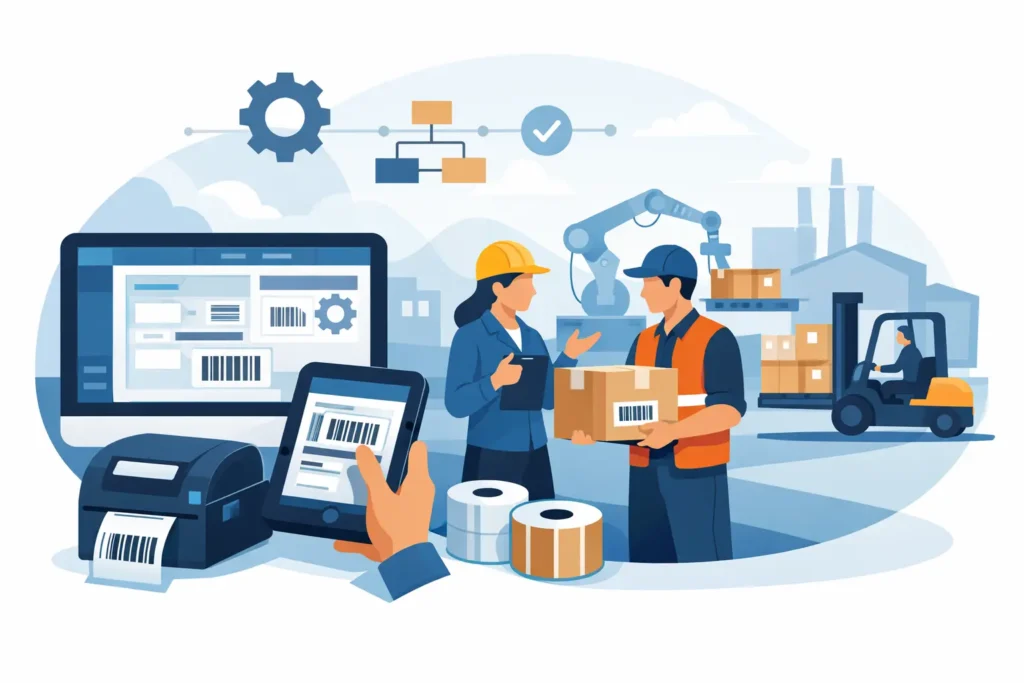
A label can be physically perfect and still fail the operation if it carries the wrong item number, lot code, destination, or barcode format. Industrial label software is the layer that turns business data into consistent, scannable labels at the point where work happens – on the production floor, in the warehouse, at a receiving dock, or beside a packing line.
For operations teams, the question is not simply whether software can design a label. Most programs can place text, a barcode, and a logo on a template. The more relevant question is whether the software can reliably produce the right label, from the right data source, on the right printer, every time the process calls for it.
What Industrial Label Software Does
Industrial label software manages the design, data population, printing, and control of labels used in operational environments. It connects label templates to information such as ERP records, warehouse management systems, production databases, spreadsheets, serial-number rules, or manually entered transaction data.
That connection matters because industrial labeling is usually variable. A warehouse location label may use a fixed format but a different aisle, rack, and bin number on every print. A manufacturing label may need a unique serial number, production date, work order, and 2D barcode. A shipping label may pull order details, carrier data, and handling instructions from separate systems.
Without a controlled software process, teams often rely on preprinted forms, manually edited files, or separate label templates maintained by different departments. Those approaches can work at low volume, but they introduce risk as product counts, locations, users, and compliance requirements grow.
The Difference Between Basic Design Tools and Production Software
A basic label design tool is useful when one person creates a simple static label and prints it locally. Production software is built for environments where label output affects inventory accuracy, traceability, shipping performance, safety, or regulatory compliance.
The distinction becomes clear when data changes frequently. Production-oriented software can apply rules to determine what prints, where it prints, and how values are formatted. It can prompt users for required information, calculate check digits, serialize labels, validate field length, and prevent an operator from printing a label with missing critical data.
It also supports consistent output across multiple workstations and printers. That is particularly valuable for organizations with several facilities, warehouse zones, or production cells. A standardized template reduces the chance that one department uses an outdated barcode symbology, an old logo, or a label size that does not match the installed printer and media.
More capability does add planning requirements. A small operation may not need an enterprise-level integration platform for a single desktop printer. Conversely, selecting entry-level software for a multi-site facility can lead to costly workarounds when the business needs database connectivity, centralized template control, or automated print triggering later.
Where Label Software Has the Greatest Operational Impact
The strongest use cases involve repeatable processes with variable information. In manufacturing, labels can be generated from work orders to identify raw materials, work in process, finished goods, and serialized components. In a warehouse, software can produce location labels, pallet labels, replenishment labels, receiving labels, and asset tags that conform to the facility’s scanning process.
For regulated or traceability-driven environments, the software can help maintain a defined label format while incorporating lot numbers, expiration dates, UDI-related data, test status, or chain-of-custody information. The label itself does not create compliance, but a controlled labeling process helps organizations reduce avoidable errors in how required information is presented.
Software also has value at the shipping station. Instead of entering the same order information into multiple applications, a configured workflow can pull approved data and print the appropriate carton, pallet, or handling label. This reduces duplicate entry and gives operators a clearer process when order volume increases.
Choosing Industrial Label Software for Your Environment
The right choice starts with the application, not the feature list. A team should identify every label type in the workflow, who prints it, what data it requires, how often it changes, and what happens if it is wrong. That assessment often reveals that the problem is not the label design itself. It may be poor source data, an unreliable print station, incompatible media, or a process that depends on too many manual decisions.
When evaluating software, focus on five practical areas:
- Data connectivity: Confirm whether the software can connect to the databases, business systems, files, or APIs that hold the information needed for each label.
- Template control: Determine who can create, approve, revise, and distribute label formats. Controlled access is especially useful when labels support compliance or customer-specific requirements.
- Printer compatibility: Verify support for the industrial printers, print resolutions, label sizes, RFID capabilities, and print languages used in the operation.
- Automation and integration: Consider whether labels must print automatically from transactions, production events, scans, or business-system actions rather than through manual selection.
- User experience and support: Operators need clear prompts and dependable printing. IT and operations teams also need a path for troubleshooting, updates, backups, and future expansion.
A useful evaluation includes real samples. Print the labels that will actually be used, with real variable data, on the intended printer and material. Scan the barcodes at expected distances and angles. Test labels after exposure to the conditions they will face, whether that means abrasion, moisture, cold storage, chemicals, sunlight, or outdoor handling.
Integration Is Often the Turning Point
Many labeling projects begin with a request for a better template. The larger gain often comes from integrating the template with the source of truth. If an operator must retype a part number, lot number, or customer address that already exists in a business system, the process still carries the risk of transcription errors.
Integration does not have to mean a major systems project. In some cases, a controlled spreadsheet or database connection is an appropriate first step. In others, a direct connection to ERP, WMS, MES, or custom applications is needed to keep pace with transaction volume and reduce manual intervention.
The decision depends on the process. A low-volume maintenance department may be well served by prompted entry and predefined lists. A high-volume distribution center may need labels triggered automatically as cartons are packed or inventory is received. The goal is to match the level of automation to the cost and likelihood of error.
Software Is Only One Part of the Labeling System
Even well-configured software cannot compensate for the wrong printer, ribbon, label stock, or printhead condition. Barcode quality depends on the full system: the data and template, printer settings, print resolution, media, ribbon, and the environment where the label is applied and scanned.
For example, a durable asset label may require a synthetic material and permanent adhesive, while a temporary work-in-process label may be better suited to economical paper stock. A printer selected for occasional office output may not hold up to continuous warehouse or production use. The software should be considered alongside the complete application, including how labels are stored, applied, verified, and replaced.
This is also why implementation should involve operations, IT, and the people who use the print station every day. Operators can identify the practical issues that do not appear in a software demonstration, such as glove use, limited space, changing shifts, network dead zones, or a label that must be readable after rough handling.
Build a Process That Can Change Without Breaking
Label requirements rarely stay fixed. Customers revise routing labels, facilities add locations, manufacturers introduce new products, and compliance rules change. A labeling system should make controlled updates possible without requiring every site to rebuild its own files.
Establish a clear ownership model for templates and data rules. Document which system supplies each field, who approves changes, how new label versions are tested, and how obsolete formats are retired. That discipline can prevent a common problem: an old label template continuing to print months after the process changed.
A phased rollout is often the most practical path. Start with the label process that creates the most rework, scanning failures, or manual entry. Validate it in the real environment, train the users, and then extend the same standards to other applications. This provides measurable improvement while giving the organization a repeatable model for expansion.
The best industrial label software becomes almost invisible to the people doing the work. Operators receive the right information, labels print when needed, scans succeed, and exceptions are easier to identify. With the right software, hardware, materials, and implementation support working together, labeling becomes a dependable part of the operation rather than a recurring source of avoidable disruption. PaladinID helps organizations evaluate that complete system based on the realities of their application, not just the features on a software screen.
At PaladinID, we understand that every labeling application is different.
That’s why companies across the country trust us to help them identify the right solution for their business. With over 40 years of experience and one of the industry’s largest selections of labeling products, we make it easy to find the right fit for your operation. Whether you need stock products or a custom-built solution, our team is ready to help. Visit our online catalog, Email us, or call us today at 888.972.5234.
PaladinID delivers label solutions that stick!


Got Labeling Questions? Our AI Assistant Has Answers - Chat Now!
For more information on PaladinID
Get Help With Your Next Label Project
We have over 35 years of providing exceptional service and labeling products to the world. Take the first step to an easy, stress-free solution for your label needs by contacting us.
Schedule a call below or email [email protected]
Make Your Mark
“Making companies more competitive by offering the correct label printing solution, on time, within budget, while creating unmatched value”.
About PaladinID, LLC
PaladinID develops and supports high-performance barcode labeling applications. We work with our clients to “Make Your Mark” by providing the expertise and tools necessary to create an entire product label printing solution. Located in central New Hampshire, PaladinID has been serving Massachusetts, Vermont, Maine, Connecticut, Rhode Island, New England, and beyond for over 30 years, and in 2017, became an RFID-certified company. We look forward to working with you.
You may be interested in our other services:
Product Labels
Product Labels
Labels for every type of application: Blank, Pre-printed, Variable data
Label Printers
Label Printers
We sell and support: Direct/thermal transfer, Inkjet, Laser
Printer Ribbons
Printer Ribbons
We sell ribbons for ALL barcode printers including: Zebra, Datamax, Sato, Intermec
Flexible Packaging
Flexible Packaging
We offer a wide variety of packaging containers for your products.
Label Software
Label Software
Software for all barcode printing and product labeling.
Label applicators
Label Applicators
Wide selection of applicators: Desktop/Mobile, Applicator only, Print & apply
