
How to Clean Your Thermal Printer Head for Optimal Printing




What Can We Help You With?
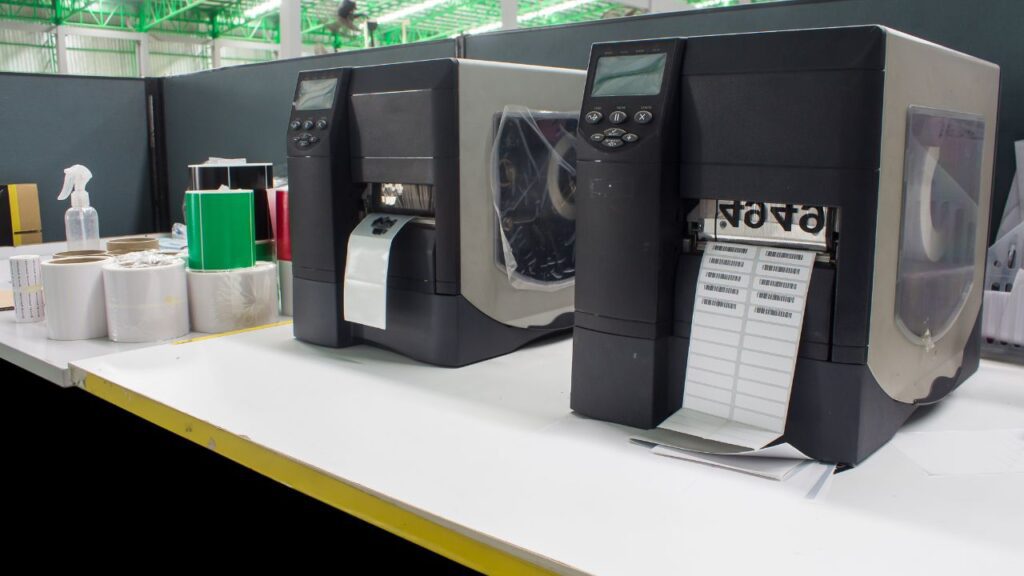
Cleaning the print head of your thermal printer helps ensure it continues running at maximum quality and efficiency.
Thermal printers are a staple in many businesses, from retail stores to restaurants, thanks to their speed, efficiency, and reliability. By using heat to produce images on paper, thermal printers are ideal for printing everything from receipts to labels.
However, like any other piece of equipment, thermal printers require regular maintenance to maintain optimal performance. One of the most important maintenance tasks is cleaning the thermal printer head.
In this guide, we’ll walk you through how to clean your thermal printer head and help ensure your thermal printing color remains vibrant and clear.
Understanding the Importance of Cleaning Your Thermal Printer Head
Before getting started, it’s important to understand why cleaning the print head matters.
The print head is a critical component of your thermal printer. It transfers the heat needed to produce images onto the paper. Over time, residue from the paper can build up on the print head, resulting in poor-quality prints and potentially causing damage to the print head.
Regular cleaning helps ensure that your thermal printing color remains vibrant while also extending the lifespan of your printer. Routine maintenance can help prevent unnecessary downtime caused by printer malfunctions and may save you from costly repairs or replacements.
Identifying When Your Thermal Printer Head Needs Cleaning
Knowing when to clean your thermal printer head is just as important as knowing how to clean it.
Here are some common signs that your thermal printer may need maintenance:
- Faded or uneven prints: If your prints are coming out faded or unevenly colored, residue may have built up on the print head.
- Frequent paper jams: Paper jams could be caused by a dirty print head affecting how smoothly paper feeds through the printer.
- Error messages: Some printers have built-in sensors that can notify you when there is an issue with the print head.
If you notice any of these signs—or if it has simply been a while since you last cleaned your thermal printer head—it may be time for some maintenance.
Step-by-Step Guide on How To Clean Your Thermal Printer Head
Now that you know why printhead cleaning is important, let’s walk through the process.
1. Gather Your Supplies
You’ll need:
- Isopropyl alcohol (at least 70%)
- Cotton swabs or lint-free cloths
- Gloves
2. Power Off Your Printer
Always turn off and unplug your printer before beginning the cleaning process.
3. Access the Print Head
Open your printer according to the instructions in your manufacturer’s manual until you can access the print head.
4. Clean the Print Head
Dampen a cotton swab or lint-free cloth with isopropyl alcohol. Gently wipe across the surface of the print head in one direction rather than back-and-forth.
Repeat this process with fresh swabs or cloths until no more residue comes off onto them.
5. Let It Dry
Allow at least 5 minutes for any remaining alcohol to evaporate before reassembling and powering on your printer.
Always refer to your manufacturer’s instructions, as certain thermal printer models may require specific cleaning steps or precautions.
Maintaining Optimal Performance For Your Thermal Printer
Regularly cleaning your thermal printer head is key to maintaining optimal printer performance and ensuring high-quality thermal printing color output.
How often you should clean the print head depends on how frequently you use your printer. However, a general rule is to clean it every three months or after every large batch job.
Taking care of your equipment helps ensure it continues taking care of your business needs effectively. Keep your thermal printers clean and properly maintained for clear, vibrant, high-quality prints every time!
For more information, give us a call at 888.972.5234, Email Us, or schedule a Discovery Call below.
We look forward to working with you!


Got Labeling Questions? Our AI Assistant Has Answers - Chat Now!
For more information on PaladinID
Get Help With Your Next Label Project
We have over 35 years of providing exceptional service and labeling products to the world. Take the first step to an easy, stress-free solution for your label needs by contacting us.
Schedule a call below or email [email protected]
Make Your Mark
“Making companies more competitive by offering the correct label printing solution, on time, within budget, while creating unmatched value”.
About PaladinID, LLC
PaladinID develops and supports high-performance barcode labeling applications. We work with our clients to “Make Your Mark” by providing the expertise and tools necessary to create an entire product label printing solution. Located in central New Hampshire, PaladinID has been serving Massachusetts, Vermont, Maine, Connecticut, Rhode Island, New England, and beyond for over 30 years, and in 2017, became an RFID-certified company. We look forward to working with you.
You may be interested in our other services:
Product Labels
Product Labels
Labels for every type of application: Blank, Pre-printed, Variable data
Label Printers
Label Printers
We sell and support: Direct/thermal transfer, Inkjet, Laser
Printer Ribbons
Printer Ribbons
We sell ribbons for ALL barcode printers including: Zebra, Datamax, Sato, Intermec
Flexible Packaging
Flexible Packaging
We offer a wide variety of packaging containers for your products.
Label Software
Label Software
Software for all barcode printing and product labeling.
Label applicators
Label Applicators
Wide selection of applicators: Desktop/Mobile, Applicator only, Print & apply
