
9 Best Warehouse Barcode Practices That Prevent Errors




What Can We Help You With?
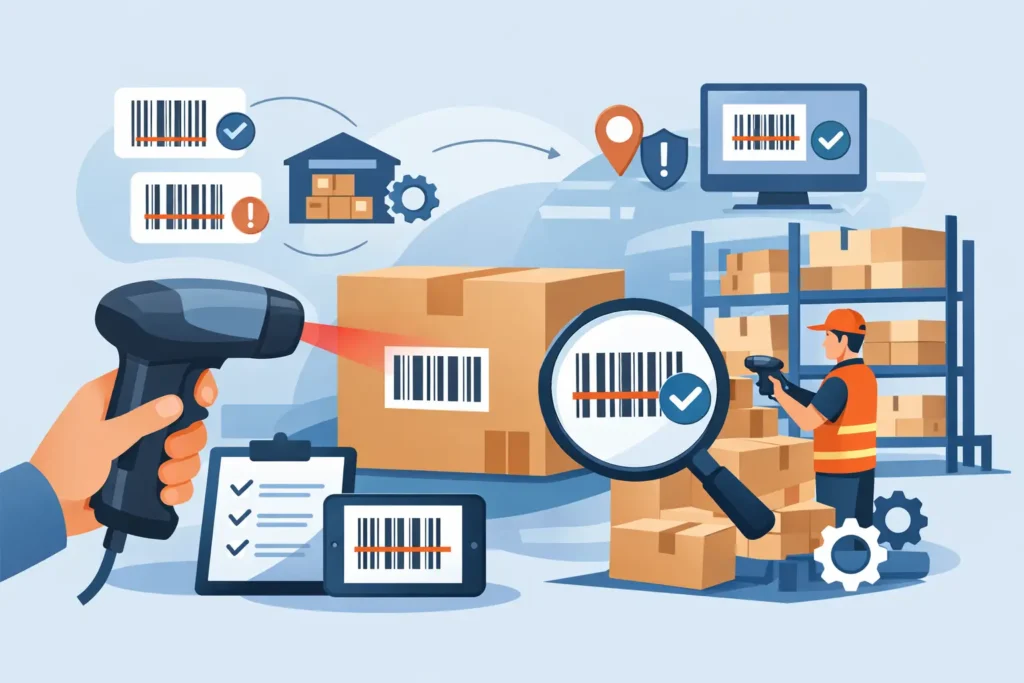
A barcode can scan perfectly at the printer and still fail at the receiving dock, in a freezer aisle, or when scanned from a forklift. When that happens, inventory errors, delayed picks, and manual workarounds often follow.
The key to reliable warehouse barcoding is looking beyond the printed barcode itself. Successful barcode systems account for the entire operating environment, including the data behind each code, label materials, printer settings, scanners, and the employees who rely on them under real production conditions.
For warehouse leaders, barcoding is much more than a printing task. It is an essential operational control. A well-designed barcode program gives every location, pallet, carton, asset, and item a clear identity that follows it throughout receiving, putaway, replenishment, picking, shipping, and cycle counting.
Best Warehouse Barcode Practices Begin With Process Design
Before selecting a label size or printer model, take the time to map out where each barcode will be created, applied, scanned, and verified. Different applications have different requirements. A receiving label, for example, serves a different purpose than a rack location label. A barcode on a returnable tote may need to withstand repeated cleaning, while a short-term shipping label only needs to remain readable throughout transit.
Start by identifying the transaction each scan is expected to complete. For example, scanning a pallet license plate may confirm receipt, assign a putaway task, and associate multiple cases with a single handling unit. Scanning a bin location should confirm that a picker is at the correct slot.
If a barcode does not support a specific decision or system event, consider whether it needs to be there at all.
Taking a process-first approach also helps prevent a common mistake: using the same label construction for every application. Standardization is important, but it should mean consistent rules and requirements—not identical labels for every environment.
1. Use the Right Barcode Symbology for the Job
The barcode format you choose should match the information being encoded, scanning distance, software requirements, and trading-partner expectations.
Code 128 is widely used for alphanumeric warehouse data because it is compact and flexible. GS1-128 may be necessary when labels contain structured information such as lot numbers, dates, or serial numbers. UPC and EAN barcodes are typically suited to retail-oriented product identification, while 2D codes such as Data Matrix and QR codes can hold more information in less space.
However, more data is not always better. Denser barcodes require better print quality and may be less forgiving when labels are small, damaged, or scanned from a distance.
For an internal warehouse location label, a simple, properly sized linear barcode may be the most dependable option. For regulated inventory or serialized components, a 2D barcode may provide enough additional value to justify the design and validation work.
Whenever practical, include human-readable text beneath or beside the barcode. If a scanner, wireless network, or warehouse management system becomes unavailable, employees should still be able to identify the item or location without guessing.
2. Build Data Standards Before Labels Multiply
A barcode is only as reliable as the identifier it represents. Before labels spread throughout your facility, establish consistent rules for item numbers, location codes, pallet IDs, serial numbers, and lot numbers.
Avoid identifiers that are easily confused, such as O and zero or I and one. You should also establish a clear process for retiring old codes rather than reusing numbers without proper controls.
Location naming deserves particular attention. A format such as A-03-12-04 can communicate aisle, bay, level, and position, but only when the physical signage follows the same structure. The best format depends on your facility layout and WMS configuration. The goal is to make every location unique, consistent, and easy for both the system and the operator to understand.
It is equally important to control who can create or modify barcode data. When multiple departments maintain separate spreadsheets, ERP records, and label templates, duplicate IDs and mismatched descriptions become more likely.
A defined approval process may take longer than making informal changes on the spot, but it is far less costly than correcting inventory problems after they occur.
3. Size and Place Labels for Real Scan Conditions
Barcode placement should reflect how materials actually move throughout your warehouse.
Carton labels may need to be visible on two adjacent sides so employees can scan them whether the carton is stored, palletized, or staged. Pallet labels should be positioned where forklift operators and receiving teams can access them without stretching, bending, or moving product.
Avoid placing labels over seams, shrink-wrap folds, corrugate gaps, handles, or textured surfaces. These areas can create wrinkles, glare, and incomplete adhesion.
For rack labels, maintain a consistent height and orientation. Employees should be able to find and scan a bin barcode without searching while holding a scanner or operating equipment.
Another important consideration is the barcode’s quiet zone: the blank space surrounding the code. This space is essential for reliable scanning. Artwork, borders, or text placed too close to the barcode can interfere with readability.
Label design software should preserve these required margins, particularly when barcodes are printed near the edge of smaller labels.
4. Match Label Materials to the Environment
A label that works perfectly on an office carton may fail quickly in a warehouse. Temperature fluctuations, condensation, abrasion, UV exposure, dust, oils, and chemical contact can all affect label performance.
The surface receiving the label matters just as much as the surrounding environment. Rough wood, low-energy plastics, powder-coated metal, and reusable totes may each require different adhesives and facestocks.
Direct thermal labels are convenient for short-term applications such as shipping and receiving. However, they can fade when exposed to heat, sunlight, or friction. For greater durability in applications such as rack labels, asset tags, outdoor identification, and long-term inventory tracking, thermal transfer printing with the appropriate ribbon generally provides a more durable solution.
Testing should happen in real-world conditions, not just on paper. Apply sample labels to actual substrates and expose them to the environments they will encounter. Then scan them after handling, storage, cleaning, and transport.
PaladinID helps organizations evaluate labels, ribbons, printers, and application requirements as a complete system. This is important because performance issues often occur where these individual components meet.
5. Maintain Print Quality at the Source
Many barcode scanning problems begin with a poorly maintained printer.
Faded bars, broken lines, excessive darkness, and label drift can all reduce barcode readability. Instead of relying on default printer settings, adjust print darkness and speed to match the selected label and ribbon combination.
Higher print speeds can be useful in high-volume operations, but they may reduce edge definition on smaller or denser barcodes.
Regular printer maintenance is equally important. Clean printheads and platen rollers on a scheduled basis using approved materials. Inspect printheads for worn elements and replace them when repeated cleaning and calibration no longer resolve missing lines.
Make sure ribbons are compatible with both the label stock and printer. A low-cost ribbon that smears or scratches off can end up costing much more through rescanning, relabeling, and delayed shipments.
Barcode labels should also be verified at startup, after media changes, and following printer service. For critical applications, formal barcode verification measures print quality against established standards.
Routine scan testing with the actual handheld, vehicle-mounted, or fixed scanner used in the facility is still essential. A barcode may meet technical print-quality standards, but it also needs to perform reliably in the field.
6. Design for Receiving, Putaway, Picking, and Returns
Warehouse labels should make every handoff easier and more efficient.
At receiving, employees need a clear way to identify the purchase order, item, quantity, lot, and pallet or license plate, where applicable. During putaway, location labels must scan reliably from the expected approach angle and distance.
For picking operations, consider whether check digits, larger location text, or color zones can reduce visual confirmation errors while still maintaining barcode controls.
Returns require equally careful identification. A returned item may have an unreadable original label, an unknown condition, or incomplete documentation.
Establish a controlled return-labeling process that distinguishes returned products from sellable inventory until inspection is complete. Reusing the original barcode without first validating the item can introduce inaccurate stock information and traceability problems.
7. Treat Rack and Floor Labels as Safety-Critical Infrastructure
Long-range location labels should be selected with scanner range, mounting surface, lighting, and potential impact in mind.
High-bay racking may require larger barcode symbols and durable synthetic materials. Floor labels, on the other hand, need abrasion-resistant constructions designed to withstand traffic and cleaning. In certain environments, protective overlaminates or recessed label plates may also be appropriate.
The decision ultimately comes down to balancing material cost against replacement frequency and scanning reliability.
A basic paper label may be perfectly adequate for a low-contact shelving area. However, it is rarely the best long-term choice for a busy forklift aisle, where a failed location label can interrupt a task and create a safety concern.
8. Train for Exceptions, Not Just Normal Scans
Most warehouse associates can learn to scan an item quickly. The real value of training comes from teaching employees what to do when something goes wrong.
What happens when a barcode will not scan? What if a label is damaged, the system displays a mismatch, or an item appears in an unexpected location?
A workplace culture that encourages employees to bypass exceptions with handwritten notes or generic labels can eventually undermine inventory accuracy.
Provide clear escalation paths and controlled reprint procedures. Supervisors should be able to determine whether a scanning problem comes from the label, printer, scanner, Wi-Fi coverage, master data, or a process error.
Tracking recurring exceptions also helps operations teams identify and correct root causes instead of repeatedly treating the same symptoms.
9. Audit the System as Conditions Change
Barcode programs should never be considered a one-time installation. New packaging, new suppliers, reorganized rack layouts, software updates, and changing shift patterns can all affect system performance.
Periodically review scan failure rates, relabeling volume, inventory adjustments, and recurring trouble locations. These indicators can reveal problems before they lead to missed shipments or failed audits.
It is also important to walk the warehouse with the employees who handle receiving, replenishment, picking, and shipping. Their firsthand observations can uncover labels hidden by stretch wrap, aisle signs that are too small, or workflows that force awkward scanning positions.
The strongest barcode systems continue to improve through this feedback loop rather than relying on a one-time setup.
A dependable barcode program is built through disciplined decisions repeated over time. When labels, printers, software, data standards, and warehouse workflows are designed to support one another, every scan becomes a reliable confirmation that the operation is moving in the right direction.
PaladinID: Labeling Solutions That Work as Hard as Your Warehouse
Reliable warehouse barcoding takes more than printing a barcode and applying a label. It requires the right combination of materials, printing technology, data standards, and application-specific solutions.
At PaladinID, we help businesses solve labeling challenges with custom inkjet labels, printing solutions, and industry expertise. Whether you’re improving warehouse identification, streamlining inventory processes, or looking for labels that can withstand demanding environments, we’re here to help you find the right solution.
Visit PaladinID to learn more about our labeling solutions and how we can help improve your operation.


Got Labeling Questions? Our AI Assistant Has Answers - Chat Now!
For more information on PaladinID
Get Help With Your Next Label Project
We have over 35 years of providing exceptional service and labeling products to the world. Take the first step to an easy, stress-free solution for your label needs by contacting us.
Schedule a call below or email [email protected]
Make Your Mark
“Making companies more competitive by offering the correct label printing solution, on time, within budget, while creating unmatched value”.
About PaladinID, LLC
PaladinID develops and supports high-performance barcode labeling applications. We work with our clients to “Make Your Mark” by providing the expertise and tools necessary to create an entire product label printing solution. Located in central New Hampshire, PaladinID has been serving Massachusetts, Vermont, Maine, Connecticut, Rhode Island, New England, and beyond for over 30 years, and in 2017, became an RFID-certified company. We look forward to working with you.
You may be interested in our other services:
Product Labels
Product Labels
Labels for every type of application: Blank, Pre-printed, Variable data
Label Printers
Label Printers
We sell and support: Direct/thermal transfer, Inkjet, Laser
Printer Ribbons
Printer Ribbons
We sell ribbons for ALL barcode printers including: Zebra, Datamax, Sato, Intermec
Flexible Packaging
Flexible Packaging
We offer a wide variety of packaging containers for your products.
Label Software
Label Software
Software for all barcode printing and product labeling.
Label applicators
Label Applicators
Wide selection of applicators: Desktop/Mobile, Applicator only, Print & apply
