
8 Top Warehouse Labeling Mistakes to Avoid




What Can We Help You With?
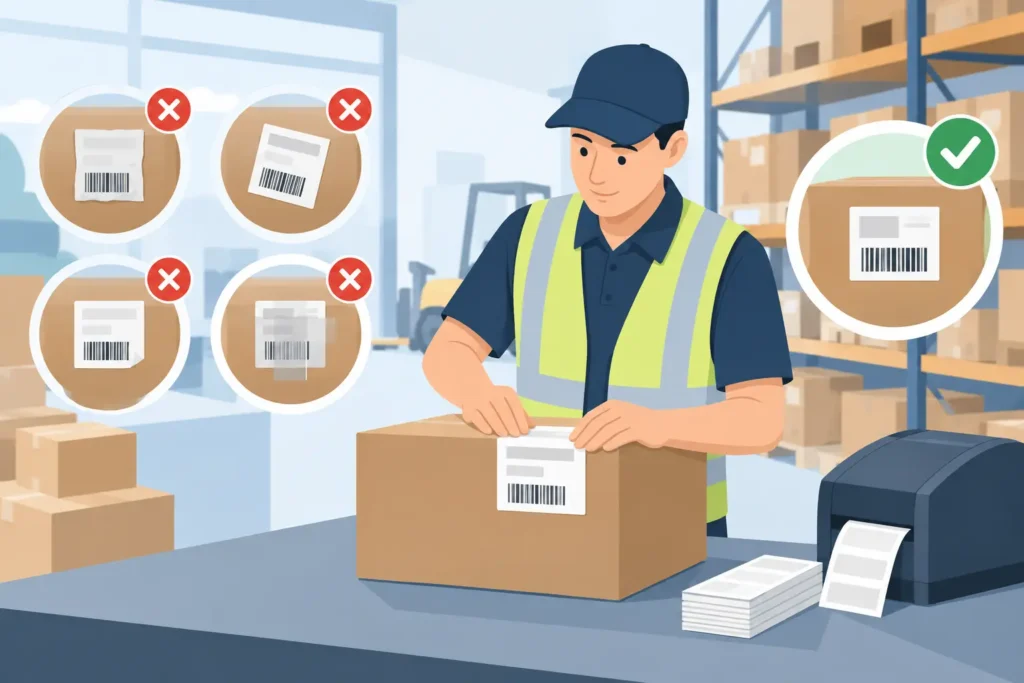
A warehouse label can look perfectly fine from a few feet away and still fail when an operator needs it most.
That’s why the most common warehouse labeling mistakes go beyond printing. They’re system-wide problems that can disrupt receiving, putaway, replenishment, picking, inventory counts, shipping, and traceability.
The cost of a failed label is about more than replacing it. A missed scan can send a forklift to the wrong aisle, create inventory discrepancies, delay an outbound order, or make an item effectively invisible in the warehouse management system (WMS).
The solution? Treat labels, printers, ribbons, data, and operating conditions as connected parts of one identification system. When these elements work together, warehouse teams can reduce errors, improve scanning reliability, and keep operations moving.
Here are eight common warehouse labeling mistakes—and how to prevent them.
1. Choosing Label Materials Based on Price Alone
Low-cost paper labels can work well for short-term carton identification in a dry, controlled warehouse. But they’re often a poor choice for rack locations, returnable containers, outdoor inventory, cold storage, chemical exposure, or frequently handled assets.
When a label tears, loses adhesion, or suffers print damage, the initial savings can disappear quickly. Reprinting and replacing labels takes time, and failed identification can create costly operational delays.
Choose materials based on the application, not just the price.
Before selecting a label, consider its expected service life and the conditions it must withstand, including:
- Temperature changes and moisture
- UV exposure and abrasion
- Cleaning agents and oils
- Surface texture and material
- Frequent handling and contact with equipment
A label that adheres well to corrugated cardboard may fail on textured plastic, dusty pallets, painted metal, or reusable totes.
More durable materials may cost more per label, but they can reduce relabeling, rescanning, and identification failures over the life of an item or location. Before placing a large order, test candidate label constructions on the actual surface under real operating conditions.
2. Printing Barcodes That Do Not Scan Reliably
A barcode doesn’t have to look visibly damaged to cause scanning problems. Low contrast, insufficient quiet zones, incorrect symbol sizing, dot gain, damaged printheads, and a poor ribbon-to-label match can all affect scan performance.
These issues often become apparent at busy receiving docks or when operators scan labels from moving forklifts. Lighting, scanning angles, and working distances can make reliable barcode reading more challenging than it is at a desk.
Reliable scanning starts with the right barcode design and print quality.
Choose a barcode symbology and data structure that meet the requirements of your WMS, ERP system, customer, or compliance program. The code must contain the necessary information without becoming too dense for the available label space or intended scanning distance.
Barcode size, orientation, placement, and human-readable text should also support the way employees actually work.
Thermal transfer printing settings matter, too. Too little heat can produce faint bars and spaces, while too much can cause smearing or loss of definition. A worn printhead may create small voids that are difficult to notice but still cause intermittent scanning failures.
Don’t rely on appearance alone. Validate printed barcodes using appropriate verification methods rather than simply checking whether a single scanner can read them.
3. Using One Label Design for Every Warehouse Application
Standardization helps warehouse teams work consistently, but forcing every application into one label format can create unnecessary confusion.
A rack-location label, pallet license plate, pick-bin label, hazardous-material label, and shipping label all serve different purposes. Each may require different viewing distances, data fields, font sizes, adhesives, and barcode orientations.
For example, overhead rack labels need large, high-contrast location text that remains readable from material-handling equipment at a distance. A small-bin label needs a barcode that a handheld scanner can reach without obscuring the product. A pallet label may require duplicate barcodes on multiple sides so operators can scan it regardless of how the pallet is positioned.
The goal is consistency without sacrificing functionality.
Build a controlled label library with approved formats assigned to specific workflows. This keeps visual conventions consistent while giving each application the space, readability, and durability it requires.
More label variations aren’t necessarily better. The objective is to create a purposeful set of formats that makes the right action clear to the operator.
4. Ignoring Label Placement and Scanning Ergonomics
Even a well-designed label can fail when employees or scanners can’t access it easily.
Labels placed behind stretch wrap, beneath pallet overhangs, across seams, on curved surfaces, or at inconsistent heights create avoidable scanning exceptions. Operators often compensate with workarounds, and those workarounds can quickly become inconsistent practices across the warehouse.
Label placement should follow the movement of materials and the people handling them.
Observe how receivers unload products, forklift operators approach pallet positions, pickers scan bins, and shipping teams verify cartons. A placement that looks practical on a process map may become inconvenient in a narrow aisle or become blocked once inventory is stored.
Establish documented placement standards for recurring applications. Specify label location, orientation, height, and quantity.
If a pallet must be scanned from either side, label both sides. If forklift operators need to scan labels from a distance, choose a position and print size that work at that practical viewing distance.
A consistent placement standard makes labels easier to find, scan, and use correctly.
5. Treating Printer Maintenance as a Break-Fix Task
Industrial label printers are production equipment, not office peripherals. Waiting until print quality visibly deteriorates before performing maintenance can lead to unreadable labels during peak production periods—and rushed substitutions that may not be compatible with existing media.
Printheads, platen rollers, sensors, and media paths require regular inspection and cleaning. Ribbon wrinkles, adhesive buildup, dust, and worn components can cause poor print quality, tracking errors, and unplanned downtime.
Printer settings also need to be reviewed whenever label or ribbon materials change.
Preventive maintenance helps protect both print quality and operational uptime.
A practical maintenance plan should define:
- Cleaning intervals and approved supplies
- Inspection procedures and spare-part requirements
- Responsibility for routine maintenance checks
- Processes for recording recurring printer issues
Track problems by printer and application. If the same printer repeatedly produces poor barcodes or skips labels, another temporary adjustment may not solve the underlying issue.
The real solution could involve replacing a component, correcting calibration, or finding a better match between the printer, label, and ribbon.
6. Allowing Uncontrolled Label Templates and Manual Data Entry
Warehouse teams often inherit label templates created to meet a one-time requirement. Over time, employees may edit local copies, move fields, change barcode settings, or begin entering variable data manually.
The result is a labeling process that depends on individual knowledge and workarounds rather than controlled standards.
Manual data entry creates opportunities for transposed digits, inconsistent lot-number formats, duplicate IDs, and mismatches between printed labels and system records. A label can scan perfectly and still identify the wrong item.
This is especially risky when labels contain lot numbers, serial numbers, expiration dates, product attributes, or customer-specific data.
Control the template, control the data, and control the process.
Use approved software and data connections wherever possible. Restrict who can modify layouts, maintain named template versions, and establish an approval process for changes.
When the application supports it, pull data directly from the system of record rather than requiring employees to retype it.
For processes that still require manual entry, use validation rules and clear prompts to catch errors before printing. These controls help ensure that labels accurately represent the products and inventory they identify.
7. Overlooking Harsh Warehouse Conditions
Some warehouse labeling mistakes don’t become obvious until labels reach the warehouse floor.
A label construction that performs well in a clean staging area may fail after repeated freezer cycles, outdoor storage, washdowns, abrasion, or contact with industrial chemicals.
Temperature is only one part of the equation. Consider whether employees wear gloves, whether labels rub against conveyors or shrink wrap, how frequently cartons are handled, and whether direct thermal labels will be exposed to heat or sunlight.
A temporary receiving label may need very different performance characteristics from a label identifying a reusable asset for several years.
Test labels in the conditions where they’ll actually be used.
Apply candidate labels to representative surfaces and expose them to the full process, including transportation, storage, handling, and cleaning.
At each stage, evaluate adhesion, legibility, and scanning performance. This gives procurement and operations teams practical evidence for choosing the right label construction instead of relying solely on a product description.
Testing before rollout can help prevent widespread labeling failures and costly changes later.
8. Buying Components Without Designing the Complete System
Labels, printers, ribbons, software, scanners, and operating procedures all influence one another. Selecting each component independently can create compatibility issues that are difficult and expensive to diagnose.
A printer may not support the required volume or label width. A ribbon may be incompatible with the selected face stock. A label format may not work with the software workflow or scanner capabilities.
These problems are easier to prevent when the entire labeling application is considered from the start.
Begin with the operational requirement—not an individual product.
Determine what needs to be identified, what data must be captured, where the item will travel, who will scan it, and how long the identification must remain readable.
Then select the appropriate label materials, printing technology, hardware, software integration, and support processes to meet those requirements.
This is where experienced guidance can reduce trial and error. PaladinID helps organizations evaluate the complete labeling application rather than simply choosing a label roll or printer model.
That approach is particularly valuable when operations are adding locations, automating workflows, meeting customer labeling requirements, or replacing unreliable legacy processes.
Build Labels Around the Work, Not the Printer
The best warehouse labeling program makes it easy for employees to do the right thing—even under normal production pressure.
It delivers readable information, dependable barcode scans, durable materials, and controlled data without adding unnecessary steps to receiving, picking, or shipping.
You don’t have to overhaul your entire operation to start improving. Begin with one high-impact application, such as rack locations with frequent scanning failures or pallets that repeatedly require relabeling.
Document what’s going wrong, test the complete labeling system in the actual operating environment, and standardize the solution once it performs reliably.
Small improvements to your labeling process can eliminate friction from every transaction that follows.
When labels, printers, materials, and data work together, your warehouse can spend less time correcting identification problems and more time keeping products moving.


Got Labeling Questions? Our AI Assistant Has Answers - Chat Now!
For more information on PaladinID
Get Help With Your Next Label Project
We have over 35 years of providing exceptional service and labeling products to the world. Take the first step to an easy, stress-free solution for your label needs by contacting us.
Schedule a call below or email [email protected]
Make Your Mark
“Making companies more competitive by offering the correct label printing solution, on time, within budget, while creating unmatched value”.
About PaladinID, LLC
PaladinID develops and supports high-performance barcode labeling applications. We work with our clients to “Make Your Mark” by providing the expertise and tools necessary to create an entire product label printing solution. Located in central New Hampshire, PaladinID has been serving Massachusetts, Vermont, Maine, Connecticut, Rhode Island, New England, and beyond for over 30 years, and in 2017, became an RFID-certified company. We look forward to working with you.
You may be interested in our other services:
Product Labels
Product Labels
Labels for every type of application: Blank, Pre-printed, Variable data
Label Printers
Label Printers
We sell and support: Direct/thermal transfer, Inkjet, Laser
Printer Ribbons
Printer Ribbons
We sell ribbons for ALL barcode printers including: Zebra, Datamax, Sato, Intermec
Flexible Packaging
Flexible Packaging
We offer a wide variety of packaging containers for your products.
Label Software
Label Software
Software for all barcode printing and product labeling.
Label applicators
Label Applicators
Wide selection of applicators: Desktop/Mobile, Applicator only, Print & apply
