
How to Print Cable Labels That Stay Readable




What Can We Help You With?
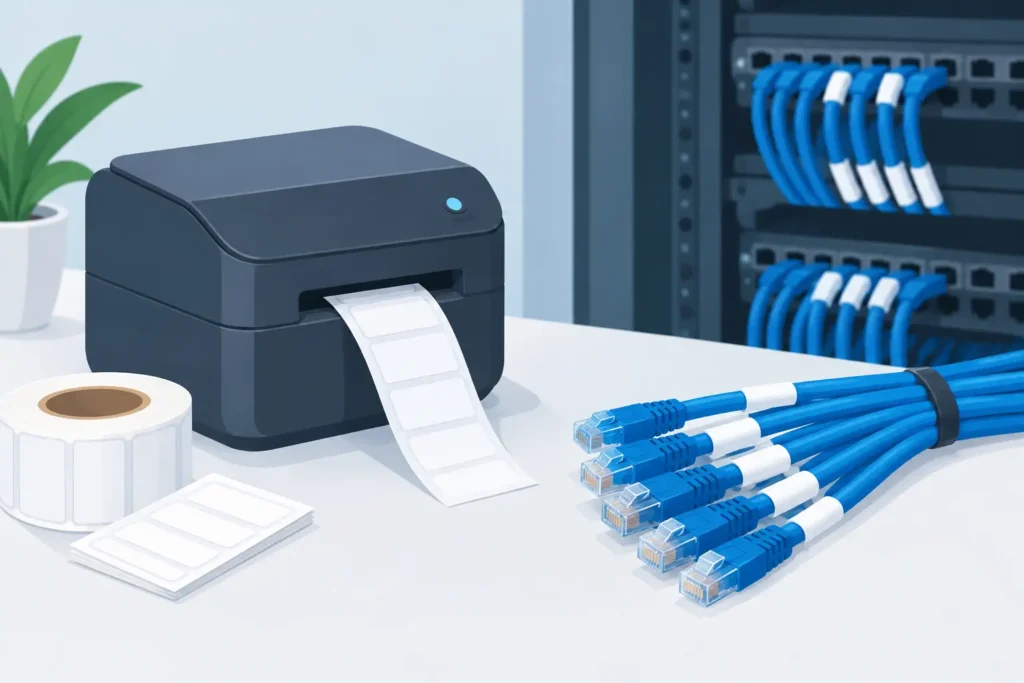
A cable label that peels off, smears, or becomes unreadable after installation can create much bigger problems than an untidy cable. It can slow troubleshooting, introduce safety and compliance risks, and turn routine maintenance into a time-consuming search.
Knowing how to print cable labels that last means choosing a labeling system that matches the cable, the environment, the information required, and the way technicians will apply the label.
For facilities managing network infrastructure, control panels, production equipment, field installations, or inventory assets, the goal isn’t simply to print a label. It’s to create durable identification that stays readable throughout the cable’s useful life.
So, how do you choose the right materials, print technology, and application method? Here’s what to consider.
How to Print Cable Labels for the Actual Application
Before choosing a label or printer, define what the label needs to do once it leaves the printer. Cable diameter, jacket material, exposure to heat or chemicals, and expected service life all influence the right material and printing method.
A temporary cable marker inside a clean telecom closet has very different requirements from a label on a hydraulic line, an outdoor utility cable, or a wire bundle inside a manufacturing cabinet.
Start by identifying the cable type and size range. A self-laminating label works well for many wire and cable applications because the printable area wraps around the cable, while a clear overlaminate protects the printed information.
Other options include wraparound labels, flag labels, heat-shrink tubing, and rigid tags. Each has its place, depending on whether the cable needs a flat, readable surface, high abrasion resistance, or a non-adhesive attachment method.
The cable jacket matters just as much as its diameter. Some adhesives bond well to smooth PVC, while others are needed for low-surface-energy plastics, textured jackets, or surfaces exposed to oil and moisture.
If labels will be installed in cold conditions or on cables that cannot be cleaned easily, adhesive selection deserves particular attention. Even the highest-quality print won’t help if the label won’t stay in place.
Choose a print technology built for durability
For most industrial cable identification applications, thermal transfer printing is the preferred method.
A thermal transfer printer uses a ribbon to transfer ink onto label material, producing sharp text, barcodes, and variable data with strong resistance to handling and environmental exposure. With the right ribbon and material combination, printed labels can withstand abrasion, heat, chemicals, and moisture far better than general-purpose office labels.
Other printing methods may be suitable for certain applications, but they have limitations:
- Direct thermal printing: May work for short-term identification in controlled environments, but is generally not the best choice for permanent cable labels. Direct thermal materials can darken or fade when exposed to heat, sunlight, friction, or certain chemicals.
- Laser printing: Can be useful for limited office applications, but may not offer the material options or flexibility required for demanding industrial environments.
- Inkjet printing: Can serve specific applications, but may lack the print durability, material compatibility, and on-demand flexibility needed for industrial cable identification.
A thermal transfer setup requires three compatible components: the printer, the label stock, and the ribbon.
Wax ribbons are economical for basic paper labeling. Wax-resin ribbons improve smudge resistance. Resin ribbons typically provide the highest durability on synthetic materials used for demanding cable and wire applications.
Compatibility is critical. A resin ribbon may not perform correctly on every synthetic label, and an unsuitable ribbon can result in poor edge definition, weak adhesion, or unreadable barcodes.
Build the Cable Label Data Before Printing
Cable labels should help technicians identify, trace, service, or replace a connection quickly. That requires a consistent, well-planned format.
Before designing a label, decide which information fields are required and how the data will be generated.
Common fields include:
- Cable ID
- Source and destination
- Circuit or port number
- Equipment name
- Voltage or service classification
- Installation date
- Barcode or QR code, when the label needs to connect to a maintenance or asset system
Keep the most important information readable without a scanner. Barcodes can improve speed and accuracy, but technicians shouldn’t need a device just to confirm they’ve found the correct cable.
If space is limited, use a short, standardized cable ID as the primary visible identifier. Additional details can be stored in a database or work-order system.
Labeling software becomes especially valuable when printing variable data at volume. Instead of entering identifiers individually, teams can import records from a spreadsheet, database, ERP, WMS, or asset management platform.
This helps reduce duplicate IDs and transcription errors while making reprints more controlled. For a small panel build, a fixed template may be sufficient. For hundreds of cables across multiple locations, database-driven printing provides greater consistency and traceability.
Design for the installed view
A label can look perfect on a screen and still be difficult to read in the field.
Choose a font size and label format based on the distance and angle from which technicians will view the label. On narrow cables, long strings of small text can become difficult to read once the label is wrapped. In these situations, a flag label or heat-shrink marker may provide a better viewing surface.
High contrast between the print and label background also improves readability. Black print on white or yellow material is often easy to read, while color-coded labels can help distinguish systems, voltages, departments, or cable types.
However, color should support the written identifier—not replace it. Color conventions can vary between facilities, fade over time, or become difficult to distinguish in low-light conditions.
If the label includes a barcode, size it appropriately for the available print resolution and scanning equipment. Compressing a dense barcode into a very small space can make it unreliable, even when it looks acceptable to the eye.
Test labels with the scanners used in the real workflow, including handheld devices and fixed scanners where applicable.
Set Up the Printer Correctly
Many cable labeling problems begin with printer setup.
Load the correct media and ribbon, then configure the printer for the actual label width, gap or mark sensing method, print speed, and darkness setting. A printer configured for the wrong media type may shift print position, skip labels, or produce inconsistent image quality.
Run a calibration whenever you load a new label format or change materials. Calibration allows the printer to detect label gaps, black marks, or continuous media correctly.
This step is particularly important with small-format cable labels, where even a minor alignment error can push text outside the printable area.
Balance Print Darkness and Speed
Print darkness and speed should be adjusted together.
- Too much darkness: Characters and barcode bars can spread, reducing definition.
- Too little darkness: Faded images may become difficult to scan and wear prematurely.
- Excessive print speed: Certain material and ribbon combinations may produce lower-quality results at higher speeds.
Start with the manufacturer’s recommended settings, then test samples under normal handling conditions. The best settings produce clean edges, consistent density, and reliable scanning without overprinting.
Keep the Printer Clean and Maintained
Clean the printhead and platen roller according to the recommended maintenance schedule. Adhesive buildup, dust, and ribbon residue can create white lines, incomplete characters, and poor barcode quality.
Printheads are wear items, and a damaged printhead can waste labels and ribbons before the problem becomes obvious.
Preventive maintenance is far less disruptive than troubleshooting a failed labeling run during production or installation.
Apply Cable Labels So They Last
Even the right label material can fail if it isn’t applied correctly.
Clean and dry the cable jacket whenever possible. Oil, dust, condensation, and release agents can prevent the adhesive from bonding fully. Allow the adhesive time to set, particularly in cold environments or when the cable will be flexed shortly after application.
Label placement matters, too. Position labels where technicians can read them without unnecessary cable movement.
For point-to-point cables, many teams label both ends and add an intermediate label on longer runs. Avoid locations that will be hidden by clamps, exposed to frequent bending, or pressed tightly against sharp edges.
Where a cable enters a connector or conduit, leave enough clearance to ensure the label doesn’t interfere with strain relief or future servicing.
Apply Each Label Type Correctly
Application technique depends on the label construction.
Self-laminating labels: Wrap the printable section smoothly around the cable, then pull the clear laminate tightly over it without trapping air bubbles. The clear tail should fully cover the printed area.
Heat-shrink tubing: Confirm that the recovered diameter fits the cable and use the recommended heat source. Overheating can damage the marker or cable jacket, while insufficient heat can leave the tubing loose.
Following the appropriate application method helps protect the printed information and maintain a reliable identification system.
Verify the System Before Scaling Up
Don’t approve a cable labeling process based on a single freshly printed label.
Instead, print a small batch, apply samples to representative cables, and inspect them after normal handling. Rub the printed surface, flex the cable, scan the barcode, and expose a test sample to the conditions it will encounter.
For harsh environments, testing may include temperature cycling, cleaning agents, UV exposure, abrasion, or contact with oils and chemicals.
The goal is to confirm that the complete labeling system performs as expected—not just that the printer produces an attractive label.
Document the Approved Process
Once testing is complete, document the approved label material, ribbon, printer settings, template, and application method.
This turns cable labeling from an individual preference into a repeatable operating standard. It also simplifies purchasing and helps new technicians achieve consistent results without unnecessary trial and error.
PaladinID helps organizations evaluate the complete cable labeling workflow, from material and ribbon selection to printer setup and variable-data labeling processes.
The right system gives your team a clear, dependable identifier when it matters most: during installation, inspection, repair, or an unexpected outage.
Need a Better Cable Labeling Solution?
Reliable cable identification starts with choosing the right combination of materials, printing technology, data, and application methods. When those elements work together, technicians can spend less time searching for connections and more time keeping equipment and operations running smoothly.
PaladinID helps businesses solve labeling challenges with application-focused guidance on custom labels, printers, ribbons, and complete labeling solutions.
When others say “impossible,” we look closer.
Contact PaladinID to discuss your cable labeling requirements and find a solution built around your application.


Got Labeling Questions? Our AI Assistant Has Answers - Chat Now!
For more information on PaladinID
Get Help With Your Next Label Project
We have over 35 years of providing exceptional service and labeling products to the world. Take the first step to an easy, stress-free solution for your label needs by contacting us.
Schedule a call below or email [email protected]
Make Your Mark
“Making companies more competitive by offering the correct label printing solution, on time, within budget, while creating unmatched value”.
About PaladinID, LLC
PaladinID develops and supports high-performance barcode labeling applications. We work with our clients to “Make Your Mark” by providing the expertise and tools necessary to create an entire product label printing solution. Located in central New Hampshire, PaladinID has been serving Massachusetts, Vermont, Maine, Connecticut, Rhode Island, New England, and beyond for over 30 years, and in 2017, became an RFID-certified company. We look forward to working with you.
You may be interested in our other services:
Product Labels
Product Labels
Labels for every type of application: Blank, Pre-printed, Variable data
Label Printers
Label Printers
We sell and support: Direct/thermal transfer, Inkjet, Laser
Printer Ribbons
Printer Ribbons
We sell ribbons for ALL barcode printers including: Zebra, Datamax, Sato, Intermec
Flexible Packaging
Flexible Packaging
We offer a wide variety of packaging containers for your products.
Label Software
Label Software
Software for all barcode printing and product labeling.
Label applicators
Label Applicators
Wide selection of applicators: Desktop/Mobile, Applicator only, Print & apply
