
Zebra Z-Slip Packing Slip for Faster Fulfillment




What Can We Help You With?
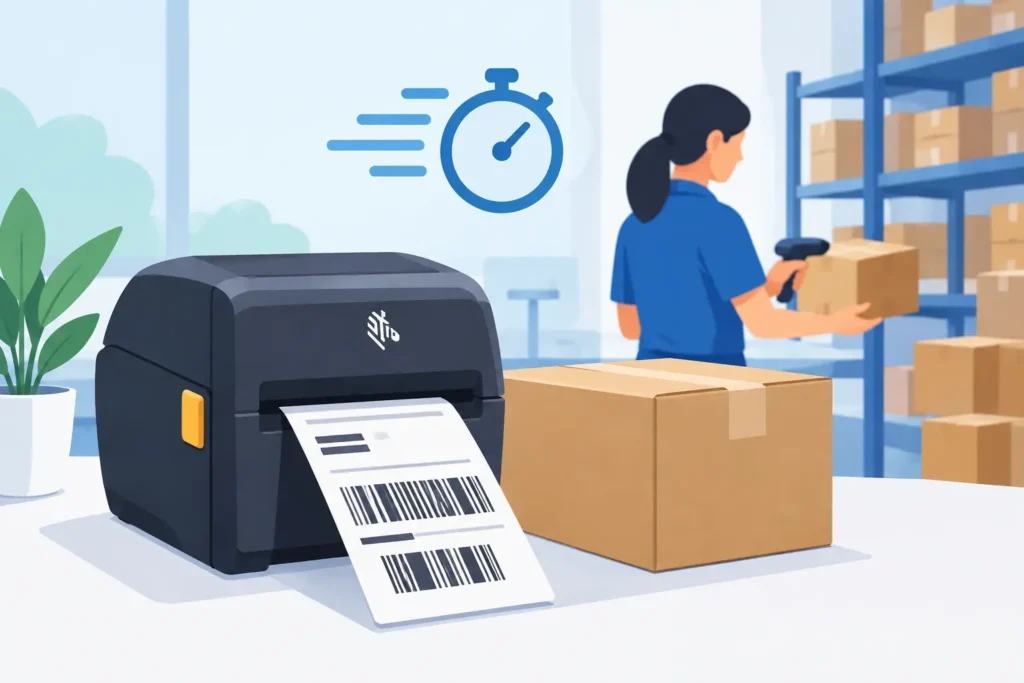
A shipping station can lose valuable time through a series of small, repetitive tasks. An employee prints a carrier label, prints a separate packing document, matches the pages, folds one, inserts it into a pouch, and hopes both pieces stay with the correct carton.
A Zebra Z-Slip packing slip is designed to simplify that process by combining shipment identification and order information into a single print workflow.
For distribution, manufacturing, and e-commerce operations processing a steady volume of orders, the benefits are straightforward: fewer documents to handle, fewer supplies to manage, and fewer opportunities for a packing slip to become separated from its shipment.
However, those benefits depend on more than the form itself. The printer, media, carrier software, and warehouse process must all work together as a properly configured system.
What Is a Zebra Z-Slip Packing Slip?
A Zebra Z-Slip packing slip is an integrated shipping document format used with compatible Zebra label printers and shipping applications.
It typically combines a scannable carrier shipping label with packing-slip or order-detail information on the same piece of media. The shipping label section is applied to the carton, while the document section stays with the shipment according to the form’s design and the operation’s process.
The exact media construction can vary. Some Z-Slip products combine a label section with a nonadhesive document section, while others are designed around a specific carrier application, printer model, and label size.
That’s why ordering based on the product name alone isn’t enough. Dimensions, adhesive, perforation layout, roll or fanfold format, and printing method all need to match the equipment and workflow already in place.
The goal isn’t simply to combine paperwork. It’s to create a repeatable shipping process where every shipment receives the correct label and order information from a single transaction.
Where Z-Slip Forms Improve Warehouse Workflows
Z-Slip forms are particularly useful in pack-and-ship operations where associates need both carrier information and customer-facing or internal order details at the same time.
Instead of managing separate thermal labels and plain-paper documents, an associate can print one integrated form, verify the order, apply the shipping label, and place the document where the process requires it.
This approach can reduce the need for supply changes at individual stations and help standardize procedures for temporary employees or teams working across multiple shifts.
When shipping labels and packing information come from the same transaction, there are fewer manual steps involved in matching documents to orders.
A Z-Slip workflow can be especially useful when:
- Shipment contents need to be verified at the packing bench.
- Customers expect an itemized document inside the box.
- A facility needs a consistent reference document for returns and receiving.
It can also create a more organized packing station. Operators don’t need to reach for a separate printer, document tray, or label pouch for every order.
The actual benefit depends on the operation. A high-volume parcel environment may see meaningful time savings by eliminating repetitive document handling. A lower-volume facility may place greater value on reducing order-document mismatches.
In either case, the results come from a well-designed process—not simply from using an integrated form.
Fewer Hand-Off Points, Fewer Matching Errors
Packing-slip mistakes often happen after printing, rather than during the initial data-generation process.
A stack of similar documents may be placed beside the wrong carton, or a printed shipping label may be applied after an associate has already moved on to another order.
Integrated forms help reduce these risks by minimizing the number of loose pieces that need to stay together throughout the shipping process.
That doesn’t eliminate the need for verification. Associates should still scan the order or carton identifier before finalizing a shipment.
However, it makes the correct sequence easier to follow:
Print. Verify. Apply. Include. Close the carton.
Better Fit for Thermal Shipping Stations
Many shipping departments already rely on direct thermal desktop or industrial printers because they can produce carrier labels quickly without requiring ribbons.
If the selected Z-Slip media is direct thermal, it can maintain that existing printing approach while adding document content to the same output.
Direct thermal media works well for many parcel-shipping applications, but it isn’t the right solution for every environment.
Heat, sunlight, abrasion, extended retention periods, and contact with certain chemicals can degrade a direct thermal image.
If a shipping label needs to remain readable through extended storage, outdoor exposure, or harsh handling, the label construction and printing technology should be evaluated more carefully.
Selecting the Right Zebra Z-Slip Packing Slip
Choosing the right Z-Slip form starts with understanding the shipping process—not simply comparing label dimensions or unit prices.
Integrated forms are more sensitive to compatibility than standard labels. A form may physically fit inside a printer but still produce poor results if the printer sensors, calibration settings, platen condition, or software template aren’t properly aligned.
Start by identifying the carrier and shipping platform.
Carrier-compliant labels have specific requirements for barcode placement, text fields, and label dimensions. The packing-slip section must print without shifting or interfering with those required elements.
A template that looks correct on screen may still fail during printing if the media length, print origin, or page definition is incorrect.
Next, confirm the printer model and media path.
Desktop and industrial Zebra printers have different media capacities, sensor capabilities, and operating requirements. The printer must consistently detect the form using its perforation, gap, mark, or other registration point.
Inconsistent sensing can lead to skipped forms, misaligned prints, and wasted media.
Then consider the physical conditions the shipment will encounter.
For ordinary parcel fulfillment, an appropriate direct thermal adhesive and facestock may be sufficient. However, cold-chain applications, outdoor storage, heavy corrugate dust, moisture, and extended transit or storage can make adhesive performance and image durability much more important.
Remember: the shipping label needs to scan successfully at its destination—not just at the packing station.
Finally, determine what information belongs on the document section.
A useful packing slip may include:
- Order number
- Customer name
- SKU descriptions
- Quantities
- Return instructions
- Lot or serial information
- A barcode for internal verification
More information isn’t always better. Small fonts, crowded layouts, and unnecessary graphics can slow exception handling and make documents harder to use on the warehouse floor.
Printer Setup Is Part of the Solution
Integrated forms require careful printer setup because the label and document sections must print in predictable positions.
Load the media according to the printer’s path requirements, select the correct media type in the driver or printer settings, and calibrate the sensors after changing media.
Calibration should also be repeated when switching to a different form construction, width, or sensing method.
Before releasing a new form into production, print a controlled test and check the following:
- The carrier barcode is dark enough, complete, and positioned within required specifications.
- Text and barcodes on the packing-slip section are readable.
- Perforations don’t cut through important information.
- The adhesive label peels cleanly without tearing the document section.
Print darkness and speed are important, too.
Increasing darkness may improve an underprinted barcode, but excessive heat can create blurry edges, image buildup on the printhead, or reduced printhead life.
Likewise, printing too quickly can reduce image quality when working with dense barcodes and fine text.
The ideal settings depend on the specific printer, media, and print coverage. Test results should guide the final configuration.
It’s also important to inspect the printhead and platen roller before assuming a problem is caused by the media.
A worn printhead, contaminated roller, or damaged platen can cause streaks, voids, and inconsistent barcode performance across any label stock.
Preventive maintenance helps protect shipping uptime and reduces the temptation to compensate for mechanical problems with overly aggressive print settings.
Build the Workflow Around Verification
The most effective Z-Slip processes include scanning at the points where mistakes would be costly.
At a minimum, the order should be verified before the shipping label is applied and the carton is closed.
Operations handling serialized goods, regulated products, or complex customer requirements may need additional scans to confirm individual items, lots, or cartons.
Employee training is equally important.
Associates should understand how to handle each section of the form, including:
- Which section belongs on the carton.
- Which section goes inside the package.
- How to handle reprints and voided labels.
- What to do with partially completed orders.
A reprinted form shouldn’t enter the same loose-paper stream as active orders without a clear process for controlling it.
The software side deserves just as much attention.
Warehouse management, ERP, and carrier applications must provide the correct information in the right fields and select the appropriate template for the printer.
A label format that works at one station may not work at another if driver settings, printer resolution, or application configurations differ.
Standardizing these variables is often more valuable than making isolated printer adjustments at each packing station.
When an Integrated Form May Not Be the Best Choice
Although Z-Slip forms offer several advantages, they’re not automatically the best solution for every shipping operation.
Businesses that don’t include packing documents inside their cartons may be better served by standard carrier labels.
Likewise, highly detailed order documents may require more space than the integrated form provides, making a separate, multi-page packing list more practical.
Businesses shipping products with demanding durability requirements may also need specialized label materials and a different documentation process.
Cost is another consideration.
Integrated media may cost more per form than a basic thermal shipping label. Whether that additional cost is worthwhile depends on the savings generated through reduced labor, fewer errors, and lower use of separate paper documents or pouches.
Instead of comparing label prices alone, evaluate the entire process, including:
- Supply changes
- Reprints
- Error resolution
- Labor involved in document handling
- Customer-service impacts
The best results come from matching the media to the operation.
PaladinID helps organizations evaluate the form, printer configuration, print quality, and workflow controls together. This complete approach helps ensure shipping output supports accuracy at the dock just as reliably as it does at the packing bench.
PaladinID: Make Your Mark.
At PaladinID, we don’t just sell labels—we solve labeling problems. From custom label solutions and compatible printing supplies to complete labeling workflows, we help businesses find practical solutions for their unique operational needs.
Visit PaladinID.com to explore our labeling solutions and discover how the right approach can help improve shipping accuracy and efficiency.


Got Labeling Questions? Our AI Assistant Has Answers - Chat Now!
For more information on PaladinID
Get Help With Your Next Label Project
We have over 35 years of providing exceptional service and labeling products to the world. Take the first step to an easy, stress-free solution for your label needs by contacting us.
Schedule a call below or email [email protected]
Make Your Mark
“Making companies more competitive by offering the correct label printing solution, on time, within budget, while creating unmatched value”.
About PaladinID, LLC
PaladinID develops and supports high-performance barcode labeling applications. We work with our clients to “Make Your Mark” by providing the expertise and tools necessary to create an entire product label printing solution. Located in central New Hampshire, PaladinID has been serving Massachusetts, Vermont, Maine, Connecticut, Rhode Island, New England, and beyond for over 30 years, and in 2017, became an RFID-certified company. We look forward to working with you.
You may be interested in our other services:
Product Labels
Product Labels
Labels for every type of application: Blank, Pre-printed, Variable data
Label Printers
Label Printers
We sell and support: Direct/thermal transfer, Inkjet, Laser
Printer Ribbons
Printer Ribbons
We sell ribbons for ALL barcode printers including: Zebra, Datamax, Sato, Intermec
Flexible Packaging
Flexible Packaging
We offer a wide variety of packaging containers for your products.
Label Software
Label Software
Software for all barcode printing and product labeling.
Label applicators
Label Applicators
Wide selection of applicators: Desktop/Mobile, Applicator only, Print & apply
