
How to Implement Barcode Labeling at Scale




What Can We Help You With?
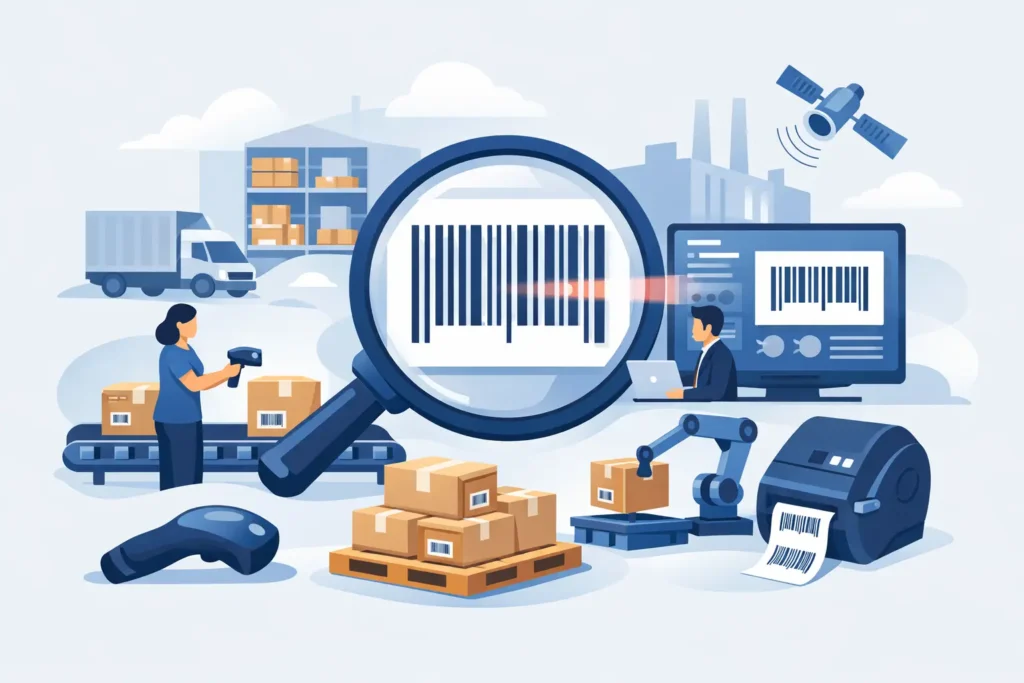
A barcode that scans perfectly at a desk but fails on a dusty warehouse floor, a cold-storage pallet, or a fast-moving production line is more than a minor inconvenience. It can bring receiving to a standstill, delay shipments, create inventory discrepancies, and force employees back to manual data entry.
Knowing how to implement barcode labeling means building a reliable identification process around the real demands of your operation—not simply purchasing a printer and a roll of labels.
The most effective barcode programs bring five essential elements together: the data being encoded, the barcode format, the label construction, the printing method, and the way employees scan and use the information. A weakness in any one of these areas can compromise the entire workflow.
The goal is to create a labeling system that produces readable, durable labels exactly where they are needed and supports accurate decisions throughout receiving, shipping, storage, production, and asset management.
Start With the Operational Problem
Before investing in equipment, determine exactly what your barcode labels need to accomplish.
A warehouse might need location labels to reduce picking errors, pallet labels to speed up receiving, and product labels that connect directly to an inventory management system. A manufacturer may require work-in-process identification, serialized component tracking, and labels that withstand heat, oils, abrasion, or outdoor exposure.
Start by mapping the movement of each item, container, or asset from beginning to end. Identify who applies the label, where it gets scanned, which system receives the scan data, and what employees should do when a barcode cannot be read.
This process can reveal problems that a hardware-only purchase won’t fix, including duplicate item numbers, inconsistent naming conventions, or labels being applied before the necessary information is available.
Define what success looks like in measurable operational terms. Your goals might include:
- Reducing manual data entry during receiving.
- Improving scan accuracy at every picking location.
- Meeting customer-specific shipping label requirements.
- Maintaining traceability for regulated products.
Clear objectives make it easier to select the right barcode symbology, software, label materials, and printer configuration.
Design the Data Before the Label
A barcode is simply a machine-readable representation of data. If that information is inconsistent or poorly managed, even a perfectly printed barcode will only help move inaccurate information through your operation faster.
Start by determining the unique identifier required for each application. For inventory, this might be an internal SKU or standardized product code. In terms of assets, it could be a serialized asset number. For production lots, the identifier may combine a part number, lot number, date, and operator or work order.
Keep encoded information as simple as the process allows. Longer data strings require more barcode space and can become difficult to scan when label dimensions are limited.
You should also determine which information needs to appear as human-readable text. Employees shouldn’t have to scan every label just to identify a product, location, or asset. Details such as item descriptions, revision numbers, lot numbers, expiration dates, and destinations help employees verify that they have the correct item before completing a transaction.
Don’t overlook data integration. Your labeling software may need to retrieve variable information from an ERP, WMS, MES, spreadsheet, database, or web application.
Establish the source of truth, identify the fields required for each label, and determine who has permission to approve template changes. Controlled templates help prevent employees from retyping critical information or creating unofficial labels outside the established process.
Choose a Barcode Format That Fits the Job
The best barcode format depends on several factors, including the amount of information being encoded, available label space, scanning environment, industry requirements, and the scanners already in use.
One-dimensional (1D) barcodes, such as Code 128 and Code 39, remain practical choices for many warehouse, asset-tracking, and production applications. They’re widely supported, straightforward to print, and effective when the encoded information is relatively short.
Two-dimensional (2D) barcodes, including Data Matrix and QR Code, can store more information in less space. They’re often useful for serial numbers, traceability records, healthcare applications, and components with limited marking areas. However, they require compatible imaging scanners and careful print-quality controls.
Don’t select a barcode symbology simply because it can fit more characters. A compact 2D code containing dense information might be technically valid but difficult to scan at the intended distance or with older equipment. Likewise, a large linear barcode may be unnecessary when a compact 2D format is better suited to the application.
Always test the actual barcode at its intended size using the scanners your employees and trading partners will use.
Build Labels for the Real Environment
Label material isn’t just a cosmetic choice—it’s a critical performance decision.
Paper labels can work well for indoor carton labeling, short-term shipping, and general warehouse applications. However, paper may not be suitable for labels exposed to moisture, abrasion, chemicals, UV light, freezer conditions, or extended service life.
More demanding applications may require synthetic facestocks and specialized adhesives. The material must adhere properly to the surface where it will be applied, whether that’s corrugated cardboard, plastic, painted metal, rough lumber, a curved container, or a cold and damp product.
Surface contamination, application temperature, and expected environmental exposure can all affect adhesive performance.
Label dimensions matter, too. Barcodes require adequate quiet zones—the clear space surrounding the code—to scan reliably. Smaller labels also limit human-readable text size and may require higher print resolution.
If a label needs to include compliance information, handling instructions, color indicators, or multiple barcodes, design the layout to prioritize scan-critical information. Avoid overcrowding the label with unnecessary details.
Select Printing Technology and Supplies Together
For most industrial barcode labeling applications, thermal printing is the practical standard. The two primary methods are direct thermal and thermal transfer printing.
Direct thermal printing creates an image using heat-sensitive label material. It’s efficient for short-term applications such as shipping labels, receipts, and temporary tracking labels. However, exposure to heat, sunlight, and abrasion can cause the printed image to fade over time.
Thermal transfer printing uses a ribbon to transfer the image onto the label material. It generally provides greater durability and supports a wider range of materials, making it a strong choice for product identification, asset tags, outdoor exposure, chemical-resistant labels, and long-term warehouse use.
The printer, label stock, and ribbon should always be selected as a compatible system. For example, a resin ribbon can provide excellent resistance when paired with the appropriate synthetic material, but it may be unnecessary for a short-term paper label.
Choosing the cheapest supplies upfront can lead to more expensive problems down the line if labels peel, smear, fade, or become unreadable.
Printer selection should also reflect your print volume, label width, resolution requirements, connectivity, and operating environment.
- Desktop printers: Suitable for lower-volume office or bench applications.
- Industrial printers: Better suited to continuous warehouse and production use, larger media rolls, and demanding environments.
- Mobile printers: Useful when labels need to be printed directly where work is being performed.
- Networked print stations: Can help reduce employee travel time and prevent handwritten labeling workarounds.
Configure Software and Templates for Control
Labeling software transforms a printer into a controlled production tool. It allows teams to create approved templates, populate variable fields, apply barcode rules, and connect labels to business systems.
The level of integration should match your operation’s volume and risk. A smaller operation might begin with controlled spreadsheet imports, while a high-volume facility may require direct integration with a WMS, ERP, or production system.
Use locked templates for common label types. Employees should be able to enter or receive approved variable information without changing barcode dimensions, symbology, label size, or required text fields.
Version control is especially important when customer requirements, regulatory content, or product revisions change.
It’s equally important to plan for exceptions. Determine what employees should do when a printer goes offline, an item is missing from the database, or a customer requires a different label format.
A documented backup process is much better than allowing employees to create improvised labels that cannot be traced or reliably scanned.
Validate Print Quality Before Full Deployment
A barcode can look perfectly clear to the human eye and still fail formal quality requirements.
Print darkness, edge definition, contrast, quiet zones, label damage, and placement all influence scanning performance. Verification becomes especially important when labels must meet retailer, customer, healthcare, automotive, or regulated-industry specifications.
Begin with a pilot program in one area, product family, or workflow. Print labels using your final production settings and test them after handling, storage, transportation, and any environmental exposure they are expected to withstand.
Use the same scanning devices and distances employees will encounter during everyday operations. If a label will be applied to a curved or textured surface, test it on that surface rather than relying on a flat sample sheet.
Once testing is complete, document the final settings, including:
- Printer model.
- Print speed and darkness.
- Label material.
- Ribbon type.
- Template version.
This information gives operations and maintenance teams a reliable baseline to reference when scanning problems arise later.
Train, Measure, and Maintain the System
Implementing a barcode labeling system doesn’t end when the first labels print successfully. Employees need to understand how to use and maintain the system consistently.
Train users on proper label placement, media loading, scanner operation, and exception handling. Teach them to recognize common warning signs, including faded direct thermal labels, wrinkled ribbon, poor adhesive performance, damaged printheads, and labels placed across carton seams.
Track performance metrics to determine whether your labeling program is actually improving operations. Useful measurements include:
- Barcode scan failure rates.
- Relabeling volume.
- Shipping errors.
- Inventory adjustments.
- Receiving time.
- Printer downtime.
These metrics can help identify whether a problem is related to data quality, label materials, equipment, or employee training.
Preventive maintenance is just as important. Clean printheads and platen rollers according to the recommended schedule, use compatible supplies, inspect labels before loading, and keep spare critical components available for high-use print stations.
Replacing a worn printhead before it produces unreadable barcodes is far less disruptive than troubleshooting failed scans during a shipment deadline.
Build a Barcode Labeling System Your Operation Can Depend On
A successful barcode labeling program becomes a reliable part of everyday operations—not another task employees have to work around.
For organizations with multiple labeling requirements, working with an experienced partner can help bring the entire system together. A partner such as PaladinID can help align labels, printers, ribbons, software, and validation practices with the real-world conditions your team faces every day.
Start with one high-impact workflow, test the process under actual operating conditions, and expand using a proven standard your operation can trust.
WE DON’T JUST SELL LABELS. WE SOLVE LABELING PROBLEMS.
Explore PaladinID’s custom inkjet labeling solutions and discover how the right labeling approach can support your operation.


Got Labeling Questions? Our AI Assistant Has Answers - Chat Now!
For more information on PaladinID
Get Help With Your Next Label Project
We have over 35 years of providing exceptional service and labeling products to the world. Take the first step to an easy, stress-free solution for your label needs by contacting us.
Schedule a call below or email [email protected]
Make Your Mark
“Making companies more competitive by offering the correct label printing solution, on time, within budget, while creating unmatched value”.
About PaladinID, LLC
PaladinID develops and supports high-performance barcode labeling applications. We work with our clients to “Make Your Mark” by providing the expertise and tools necessary to create an entire product label printing solution. Located in central New Hampshire, PaladinID has been serving Massachusetts, Vermont, Maine, Connecticut, Rhode Island, New England, and beyond for over 30 years, and in 2017, became an RFID-certified company. We look forward to working with you.
You may be interested in our other services:
Product Labels
Product Labels
Labels for every type of application: Blank, Pre-printed, Variable data
Label Printers
Label Printers
We sell and support: Direct/thermal transfer, Inkjet, Laser
Printer Ribbons
Printer Ribbons
We sell ribbons for ALL barcode printers including: Zebra, Datamax, Sato, Intermec
Flexible Packaging
Flexible Packaging
We offer a wide variety of packaging containers for your products.
Label Software
Label Software
Software for all barcode printing and product labeling.
Label applicators
Label Applicators
Wide selection of applicators: Desktop/Mobile, Applicator only, Print & apply
