
Industrial Label Printer Review for Operations




What Can We Help You With?
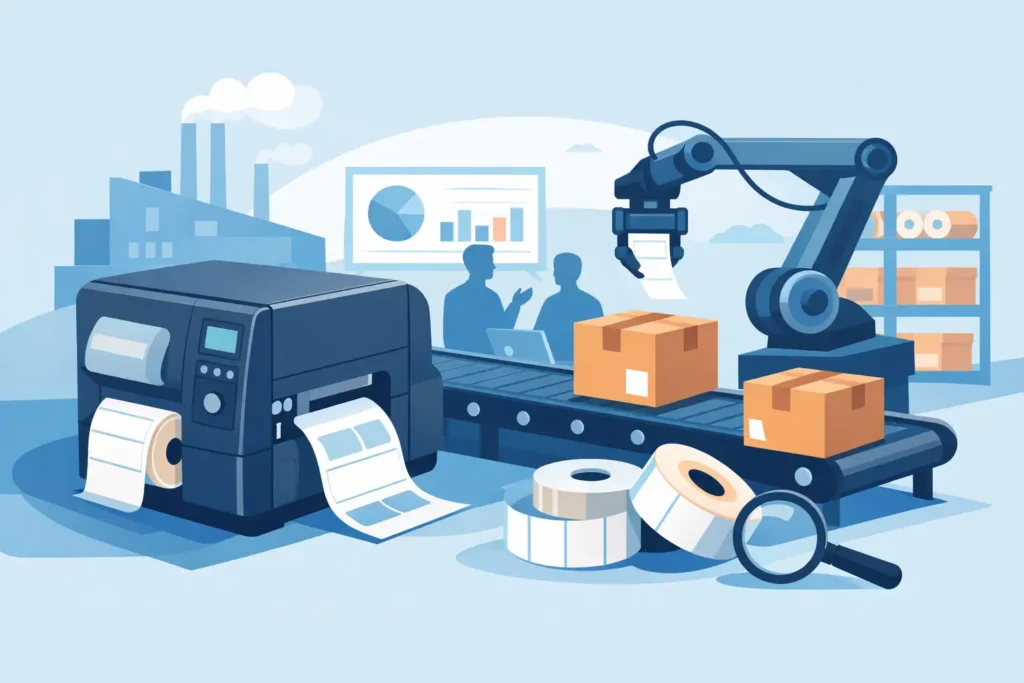
A printer that performs perfectly during a short office test can fail quickly on a busy loading dock, beside a production line, or in a cold storage facility. That’s why an effective industrial label printer review should start with the labeling application—not simply a comparison of print speeds or purchase prices.
The right industrial label printer must consistently produce scannable, durable labels at the pace your operation demands. Those labels also need to withstand handling, storage, shipping, and everyday use.
For operations teams, an industrial printer is rarely a standalone purchase. It’s one part of a larger labeling system that includes label materials, ribbons, data sources, software, network access, and ongoing maintenance. Evaluating these elements together helps prevent common problems such as poor barcode scans, peeling labels, incompatible supplies, and unexpected printer downtime.
What an Industrial Label Printer Review Should Measure
The best industrial label printer isn’t necessarily the fastest or least expensive. It’s the one that fits your application and has enough capacity and durability to perform consistently throughout its expected service life.
A warehouse printing a few hundred shipping labels per day has very different requirements from a manufacturing line producing serialized product labels around the clock.
Start by identifying where labels will be applied, what information they need to communicate, and what happens to them afterward. A carton label used for a single shipment may require a different construction than an asset tag exposed to sunlight, chemicals, abrasion, or high temperatures.
Printer selection should follow those application requirements.
A useful industrial printer review considers four important operating questions:
- How many labels must the printer produce per shift, including peak-volume periods?
- What label sizes, materials, adhesives, and ribbon types will the application require?
- What information must appear on each label, such as barcodes, serial numbers, lot codes, dates, graphics, or RFID information?
- How will the printer connect to the people and systems responsible for sending print jobs?
These questions may seem basic, but they help determine whether a desktop device, midrange industrial printer, or high-duty-cycle print engine is the right fit.
Purchasing a printer with a duty cycle below your actual requirements often shifts costs away from the initial purchase and into maintenance, replacement hardware, and lost production time.
Match Print Technology to the Label Environment
Most industrial thermal printers use one of two technologies: direct thermal or thermal transfer printing. Both can produce crisp barcodes and variable data, but they serve different applications and are not interchangeable.
Direct thermal printing creates an image by applying heat directly to a heat-sensitive label. Because it does not require a ribbon, this method can simplify supply management and reduce per-label consumable costs.
Direct thermal printing is often effective for short-life applications such as shipping labels, receipts, temporary work-in-process labels, and certain cold-chain uses.
The trade-off is durability. Direct thermal images can darken, fade, or become difficult to scan when exposed to heat, sunlight, friction, or certain chemicals. If labels need to remain readable for months or years, direct thermal printing may introduce unnecessary risk.
Thermal transfer printing uses a ribbon to transfer ink onto the label surface. This process adds a consumable and requires the printer, ribbon, and label material to be properly matched.
In return, thermal transfer printing supports a much broader range of durable labels, including synthetic materials designed for outdoor exposure, harsh handling, chemical contact, and long-term asset identification.
Ribbon selection is just as important as printer selection:
- Wax ribbons work well on paper labels for general-purpose inventory and logistics applications.
- Wax-resin ribbons provide greater abrasion resistance and are suitable for a wider range of applications.
- Resin ribbons are typically used when maximum durability is needed on synthetic materials, although they may require higher print energy and a compatible label face stock.
An industrial label printer review that treats ribbon selection as an afterthought is incomplete. The right combination of printer, ribbon, and label material is essential for dependable print quality.
Print Resolution Is an Application Decision
Print resolution is commonly measured in dots per inch (dpi). A 203 dpi printer handles many standard logistics, warehouse, and product-labeling applications.
Higher resolutions, such as 300 or 600 dpi, are useful when labels include very small text, dense 2D barcodes, fine graphics, or small component identification.
However, higher resolution isn’t automatically better. It can reduce print speed and increase hardware costs.
If your operation prints four-by-six shipping labels with standard linear barcodes, a higher-resolution printhead may add expense without improving results. On the other hand, choosing a low-resolution printer for small healthcare labels or electronics components can compromise readability and compliance.
The best resolution is the one that meets your label design, barcode, and application requirements without adding unnecessary costs.
Look Beyond Maximum Print Speed
Manufacturers frequently advertise maximum print speeds, but that number only tells part of the story.
Actual print speed can change based on print darkness, resolution, label design, communication method, and the amount of variable data being processed. A printer rated for fast output may slow considerably when producing complex labels with serialized data, graphics, or verification requirements.
Instead of asking only, “How fast is it?” consider whether the printer can maintain the required output during the busiest hour of the busiest shift.
Include label changes, ribbon changes, calibration, reprints, and operator interaction in your calculations. A system that meets average volume but falls behind during receiving or shipping cutoffs can still disrupt daily operations.
Media capacity also affects overall throughput. Larger label and ribbon rolls reduce the frequency of changeovers, which is especially valuable in high-volume areas and unattended applications.
For lower-volume workstations, smaller media capacity may be a reasonable choice if it reduces the printer’s footprint and keeps the device accessible to employees.
Consider the Physical Work Area
Industrial label printers need an environmental review just as much as a print-volume review.
Dust, vibration, moisture, temperature changes, forklift traffic, and limited bench space can all influence which printer configuration is appropriate.
A metal-cased printer may be better suited to an active production floor than a light-duty unit designed for occasional office use.
In tight work areas, front-loading media, a smaller footprint, or a wall-mountable configuration can make routine supply changes easier.
For automated print-and-apply lines, integration requirements become even more specific. Timing, applicator compatibility, I/O, sensor settings, and system controls should all be evaluated before equipment is selected.
Connectivity and Software Determine Daily Usability
Even a capable industrial label printer cannot compensate for unreliable data or a complicated workflow.
Review how labels will be designed, approved, populated, and printed. Some operations only need simple label templates at a local workstation. Others require centrally controlled formats, database-driven variable data, ERP or WMS integration, user permissions, and printing capabilities across multiple locations.
Connectivity options should also match the work environment:
- Ethernet is often the practical choice for fixed industrial locations because it supports network management and consistent access.
- Wi-Fi can be useful when cabling is impractical, but wireless performance should be tested in the actual facility, particularly around metal racking, machinery, and RF congestion.
- USB may be sufficient for a dedicated workstation but offers less flexibility for shared operations.
Printer language and software compatibility deserve attention, too. A new printer should work with existing label design tools and business systems, or the implementation plan should account for template conversion and testing.
This is particularly important when replacing older equipment. A lower hardware price has limited value if it creates a large migration project or requires employees to manually rebuild critical label formats.
Serviceability Is Part of the Total Cost
Printheads, platen rollers, sensors, and other moving components naturally wear over time. The important question is whether your team can identify and resolve common problems quickly, with access to the right replacement parts and knowledgeable support.
A thorough industrial label printer review should examine printhead availability, expected maintenance requirements, warranty terms, and technical support options.
It should also account for preventive maintenance. Using the correct ribbon and media, cleaning the printhead on schedule, and properly calibrating sensors can extend component life and protect barcode quality.
Avoid treating consumables as generic commodities. Labels and ribbons that appear similar can behave very differently because of their coating, thickness, adhesive chemistry, winding direction, core size, and compatibility with the printer.
Poorly matched supplies can cause wrinkled ribbons, weak images, sensor errors, adhesive buildup, or premature printhead wear.
This is where an experienced labeling partner can help reduce risk. PaladinID helps teams evaluate the complete application, including printer hardware, label construction, ribbon selection, software, and implementation requirements—rather than expecting one device to solve every labeling problem.
Test the Actual Label Before Standardizing
The most reliable printer purchasing decisions include a real-world trial.
Print representative labels using the intended data, barcode symbology, label material, and ribbon. Then test those labels in the environments where they will actually be used.
Check barcode readability using the scanners used in your operation, not just a phone camera.
Apply labels to the actual surfaces they will encounter, whether that’s corrugated cardboard, plastic, metal, lumber, a curved container, or a textured product.
If labels will face abrasion, moisture, freezers, UV light, cleaning chemicals, or outdoor storage, expose samples to those conditions before approving the final specification.
Don’t overlook the operator experience, either. Consider the following:
- Can a new employee load media correctly?
- Is the display easy to understand?
- Does the printer recover properly from a label gap or ribbon issue?
- Are settings protected so one accidental adjustment doesn’t change every label during a shift?
These details directly affect printing consistency and day-to-day productivity.
The right industrial label printer proves its value long after installation. It keeps labels readable and scannable, workflows moving, and maintenance manageable.
Choose equipment based on your actual application, validate the complete labeling system, and provide your team with a support plan that keeps identification processes dependable—even when operations are under pressure.
At PaladinID, we don’t just sell labels. We solve labeling problems. We help businesses find the right combination of industrial printers, custom labels, ribbons, and labeling solutions to meet their real-world needs.
Visit PaladinID to learn more about our industrial labeling solutions.


Got Labeling Questions? Our AI Assistant Has Answers - Chat Now!
For more information on PaladinID
Get Help With Your Next Label Project
We have over 35 years of providing exceptional service and labeling products to the world. Take the first step to an easy, stress-free solution for your label needs by contacting us.
Schedule a call below or email [email protected]
Make Your Mark
“Making companies more competitive by offering the correct label printing solution, on time, within budget, while creating unmatched value”.
About PaladinID, LLC
PaladinID develops and supports high-performance barcode labeling applications. We work with our clients to “Make Your Mark” by providing the expertise and tools necessary to create an entire product label printing solution. Located in central New Hampshire, PaladinID has been serving Massachusetts, Vermont, Maine, Connecticut, Rhode Island, New England, and beyond for over 30 years, and in 2017, became an RFID-certified company. We look forward to working with you.
You may be interested in our other services:
Product Labels
Product Labels
Labels for every type of application: Blank, Pre-printed, Variable data
Label Printers
Label Printers
We sell and support: Direct/thermal transfer, Inkjet, Laser
Printer Ribbons
Printer Ribbons
We sell ribbons for ALL barcode printers including: Zebra, Datamax, Sato, Intermec
Flexible Packaging
Flexible Packaging
We offer a wide variety of packaging containers for your products.
Label Software
Label Software
Software for all barcode printing and product labeling.
Label applicators
Label Applicators
Wide selection of applicators: Desktop/Mobile, Applicator only, Print & apply
