
Desktop vs Industrial Label Printers




What Can We Help You With?
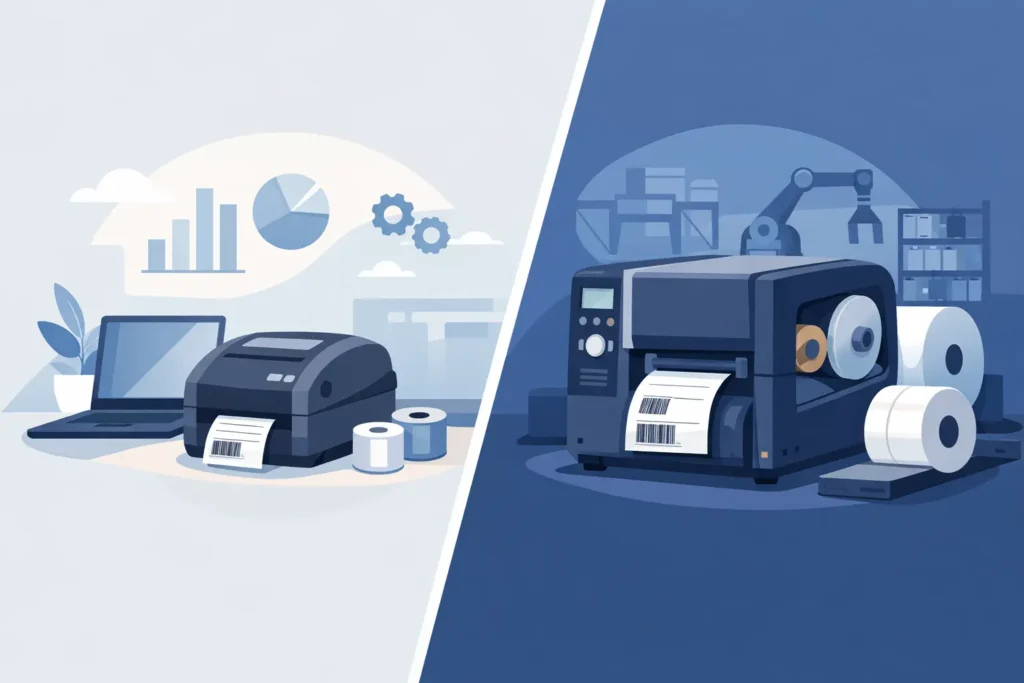
If your team is reprinting labels halfway through a shift, fighting barcode scan failures, or replacing printers more often than expected, the desktop vs industrial label printers question is not just about hardware. It is about how well your labeling system holds up under real operating conditions. The right choice affects uptime, scan accuracy, labor efficiency, and how much support your operation will need over time.
Desktop vs industrial label printers: the real difference
On paper, both printer types produce labels, barcodes, and variable data. In practice, they are built for very different workloads.
Desktop printers are generally designed for lighter-duty environments. They have a smaller footprint, lower upfront cost, and are often a practical fit for offices, low-volume shipping stations, reception areas, labs, and departments that print labels intermittently. If labels are printed in shorter runs and the environment is clean and controlled, a desktop model can do the job well.
Industrial printers are engineered for heavier use. They are built with more durable frames, stronger media handling, higher print volumes, and better resistance to the wear that comes with warehouses, production floors, and distribution environments. If labeling is tied directly to throughput, inventory movement, compliance, or production accuracy, industrial printers are usually the safer long-term investment.
That distinction matters because many businesses do not outgrow a printer all at once. They feel it gradually through more downtime, inconsistent print quality, limited media capacity, and added labor around reloads and troubleshooting.
Where desktop printers make sense
Desktop printers are a good fit when simplicity and space matter more than maximum output. A small shipping desk printing a modest number of carton labels each day may not need the frame strength, media capacity, or print speed of an industrial model. The same is true for office-based asset labeling, specimen identification in lower-volume settings, or point-of-use applications where a compact printer is easier to place.
For many organizations, the appeal starts with cost. Desktop units usually come in at a lower purchase price, and for lighter applications that can be a smart spend. They are also easier to fit into smaller workstations and can be less intimidating for teams with straightforward labeling needs.
But this is where application detail matters. A low-cost printer is only economical if it can support the label material, ribbon type, print volume, and barcode quality your operation requires. If your team is printing daily shipping labels in bursts, a desktop device may be enough. If that same station grows into a constant output environment with multiple operators and back-to-back print jobs, the economics can change quickly.
Where industrial label printers earn their keep
Industrial printers are built for environments where printing is not occasional – it is operationally critical. Manufacturing lines, warehouse staging areas, cross-docking stations, inventory control points, and compliance labeling workflows all put more stress on equipment than a typical office setting.
A common difference is construction. Industrial printers usually have metal housings or reinforced frames, larger media rolls, stronger internal components, and mechanics designed for extended duty cycles. That translates into fewer interruptions, more consistent output, and less risk that the printer becomes a weak point in the process.
They also tend to handle broader media requirements. If you need durable synthetic labels, narrow or wide formats, long print runs, high-density barcodes, or ribbon and media combinations tuned for specific surfaces and environments, industrial printers generally offer more flexibility. That matters in operations where labels must survive abrasion, moisture, chemicals, UV exposure, freezer conditions, or outdoor handling.
Speed, uptime, and operator time
The desktop vs industrial label printers comparison often turns on one issue more than buyers expect: operator time.
A slower printer is not just slower on paper. It can create waiting at pack stations, delay product release, and force staff to spend more time reloading media or resolving print errors. Desktop printers typically use smaller label rolls and ribbons, which means more frequent changeovers. In low-volume settings, that may be perfectly acceptable. In a busy warehouse or production area, it becomes friction.
Industrial printers reduce that friction by supporting larger supply rolls, longer runs, and faster output. Over time, fewer interruptions can have as much value as raw print speed. If your operation depends on keeping product moving, the better measure is not labels per minute alone. It is how reliably the printer supports the workflow across a full shift.
Print quality is only part of the equation
Many buyers compare resolution and stop there. Print quality matters, especially for small text, dense barcodes, and serialized data, but consistency matters just as much.
A barcode that scans well at the printer and fails later after handling, exposure, or poor ribbon-media matching can create rework well beyond the labeling station. That is why printer selection should be tied to the full application. Surface type, label stock, ribbon formulation, print darkness, and environmental durability all affect the final result.
Industrial printers usually give users more control and stability for demanding applications. They are often better suited for high-volume barcode printing where scan reliability must remain consistent across batches, shifts, and locations. Desktop printers can still produce excellent results, but their performance window is typically narrower when workloads and environmental demands increase.
Cost is more than purchase price
It is easy to frame this as a budget decision, but the better question is total operating cost.
Desktop printers cost less upfront, which makes them attractive for smaller departments or lower-volume workflows. If the application is stable and light-duty, that lower entry cost can make complete sense.
Industrial printers usually cost more initially, but they may cost less over the life of the system if they reduce downtime, supply changeovers, service calls, and early replacement. They also tend to integrate better into growing operations where labeling volume, media complexity, or automation needs are increasing.
This is especially true for companies standardizing labels across multiple sites or departments. What appears cheaper at the unit level can become more expensive if it creates inconsistency in supplies, settings, print quality, or support requirements.
How to choose between desktop vs industrial label printers
The right choice depends less on company size than on labeling conditions. A small manufacturer may need industrial hardware if labels are printed continuously in a dusty production area. A larger company may use desktop printers successfully in administrative departments with modest output.
Start with usage reality. How many labels are printed per day, per shift, and in peak periods? Are operators printing one label at a time or long batches? Is the printer in a clean office, a warehouse aisle, or near production equipment? Do labels need to withstand heat, chemicals, moisture, or rough handling? Are you printing basic text labels, or do you need high-quality barcodes and variable data tied to software or ERP workflows?
Those questions usually narrow the field quickly. If the printer supports a non-critical, lower-volume task in a controlled space, desktop may be the practical answer. If the printer supports throughput, traceability, compliance, or inventory accuracy in a demanding environment, industrial is often the better fit.
Do not evaluate the printer in isolation
One of the most common mistakes in printer selection is treating the hardware as a standalone purchase. In actual operations, printer performance depends on the full labeling system.
The wrong label material can cause smearing, poor adhesion, or scan issues. The wrong ribbon can reduce durability or wear the printhead faster. Software compatibility can determine whether the printer supports centralized templates, variable data, and user controls across locations. Even the best hardware under performs when the surrounding components are mismatched.
That is why experienced buyers look at printer selection alongside media, ribbons, software, printhead life, service support, and workflow design. A dependable labeling setup is not created by choosing the most expensive printer or the least expensive one. It comes from matching all components to the application.
For operations with multiple use cases, a mixed environment may be the right answer. Desktop printers can handle lighter decentralized tasks, while industrial units support core warehouse or production labeling. That approach often provides better cost control without forcing one printer class into every role.
When labeling affects shipment accuracy, traceability, asset control, or production flow, the decision deserves more than a spec-sheet comparison. It helps to work with a partner who can evaluate the application, recommend the right media and ribbon combinations, and support implementation so the printer fits the process from day one.
The best printer is the one your team stops thinking about because it keeps working, keeps scanning, and keeps your operation moving.
At PaladinID, we understand that every labeling application is different.
That’s why companies across the country trust us to help them identify the right solution for their business. With over 40 years of experience and one of the industry’s largest selections of labeling products, we make it easy to find the right fit for your operation. Whether you need stock products or a custom-built solution, our team is ready to help. Visit our online catalog, Email us, or call us today at 888.972.5234.
PaladinID delivers label solutions that stick!


Got Labeling Questions? Our AI Assistant Has Answers - Chat Now!
For more information on PaladinID
Get Help With Your Next Label Project
We have over 35 years of providing exceptional service and labeling products to the world. Take the first step to an easy, stress-free solution for your label needs by contacting us.
Schedule a call below or email [email protected]
Make Your Mark
“Making companies more competitive by offering the correct label printing solution, on time, within budget, while creating unmatched value”.
About PaladinID, LLC
PaladinID develops and supports high-performance barcode labeling applications. We work with our clients to “Make Your Mark” by providing the expertise and tools necessary to create an entire product label printing solution. Located in central New Hampshire, PaladinID has been serving Massachusetts, Vermont, Maine, Connecticut, Rhode Island, New England, and beyond for over 30 years, and in 2017, became an RFID-certified company. We look forward to working with you.
You may be interested in our other services:
Product Labels
Product Labels
Labels for every type of application: Blank, Pre-printed, Variable data
Label Printers
Label Printers
We sell and support: Direct/thermal transfer, Inkjet, Laser
Printer Ribbons
Printer Ribbons
We sell ribbons for ALL barcode printers including: Zebra, Datamax, Sato, Intermec
Flexible Packaging
Flexible Packaging
We offer a wide variety of packaging containers for your products.
Label Software
Label Software
Software for all barcode printing and product labeling.
Label applicators
Label Applicators
Wide selection of applicators: Desktop/Mobile, Applicator only, Print & apply
