
Choosing Epson ColorWorks Inkjet Label Printers


What Can We Help You With?
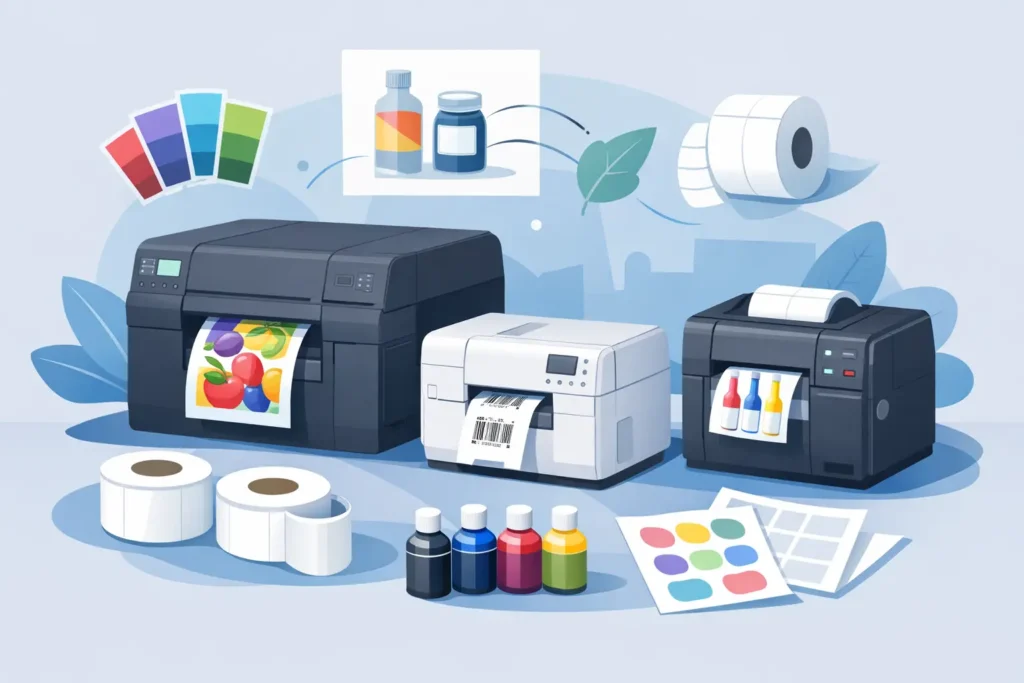
A labeling bottleneck usually shows up long before anyone calls it one. It starts with pre-printed label inventory piling up on shelves, changeovers slowing production, or a team using one label format for products that really need five. That is where Epson ColorWorks inkjet label printers tend to enter the conversation – not as office devices, but as tools for producing full-color, on-demand labels inside an operating workflow.
For many businesses, the appeal is straightforward. You can print variable product labels as needed, reduce dependence on large runs of pre-printed stock, and add color without outsourcing every label revision. But whether that translates into a better labeling system depends on the application, the label material, the speed requirement, and the broader environment around the printer. The hardware matters, but so do the labels, software, integration points, and support behind it.
Where Epson ColorWorks inkjet label printers make sense
Epson ColorWorks inkjet label printers are a strong fit when operations need on-demand color labels and label content changes frequently. That often includes product labeling, food and beverage packaging, GHS and chemical identification, healthcare labeling, horticulture, cannabis compliance, and private-label packaging. In those environments, color is not just cosmetic. It can support branding, improve visual recognition, and help users distinguish among products, warnings, or categories more quickly.
The real operational advantage is flexibility. Instead of ordering separate pre-printed label rolls for each SKU or product variation, teams can maintain a more standardized label inventory and print the final version as needed. That can reduce obsolete stock, especially when regulations change, branding updates are frequent, or product assortments expand.
This is also where inkjet differs from traditional thermal printing. If the job requires rich color graphics, logos, product imagery, or high-visibility compliance elements, an inkjet platform may be the better fit. Thermal printers remain the right choice for many barcode-heavy industrial applications, but not every labeling environment is well served by black-only output.
What to evaluate before selecting Epson ColorWorks inkjet label printers
The first question is not which model to buy. It is what the label does once it leaves the printer. A label for a packaged consumer product has different demands than a label for a chilled environment, an outdoor nursery application, or a chemical container. Print quality alone does not determine performance. Adhesive, facestock, coating, and exposure conditions matter just as much.
Durability is one of the first trade-offs to review. Some applications need excellent water resistance, smear resistance, and color stability. Others are more focused on shelf appeal and short-run flexibility. If your labels will be exposed to abrasion, moisture, UV exposure, refrigeration, or handling during transport, those conditions should be tested early. The wrong media can create failures that look like printer issues but are really material mismatches.
Speed is another factor that deserves a realistic look. On-demand color printing can eliminate delays associated with external label ordering, but production teams still need to match print throughput to line requirements. If a printer is feeding a packaging line or supporting multiple departments, job volume and peak timing matter. A device that performs well for batch printing may not be the right choice for a higher-duty continuous environment.
Print resolution and barcode performance should also be evaluated together, not separately. A label can look sharp to the eye and still create scanning issues if barcode sizing, media, or software setup is off. If the application includes 1D or 2D barcodes for inventory, traceability, or compliance, print testing should include field-based scanner validation.
Epson ColorWorks inkjet label printers in real workflows
In practice, these printers are often considered by companies trying to simplify a fragmented process. A manufacturer may be managing dozens of pre-printed SKUs for product labels while also applying thermal transfer labels for lot and date information. A color inkjet platform can consolidate that into a single step. The same label can carry branding, regulatory content, and variable data without requiring overprinting on pre-printed stock.
In warehouse and distribution settings, the use case can be more selective. Epson ColorWorks inkjet label printers are not automatically the best answer for every rack, bin, or shipping label. Those areas often demand thermal durability, very high print volumes, or simpler monochrome output. But for color-coded inventory labels, specialty carton labels, kit identification, or customer-specific packaging labels, they can add flexibility where standard warehouse printers are limited.
Healthcare and laboratory environments present another strong use case, particularly where color supports differentiation and where short-run label changes are common. Still, those environments may also require careful review of media compatibility, chemical resistance, and labeling regulations. The printer choice has to align with the full labeling requirement, not just the visual result.
The media question matters as much as the printer
It is common for buyers to focus heavily on print technology and underweight the label construction. That usually becomes a problem later. Inkjet label performance depends heavily on selecting the right material and finish for the job. A label that prints beautifully in testing can fail in production if the adhesive does not bond to the container surface or if the coating is not suited for the environment.
This is why application-specific guidance matters. Container type, surface energy, temperature range, exposure to moisture, and handling conditions all affect material selection. The right setup for a glossy retail product label may be completely wrong for a chilled bottle, a nursery pot, or a compliance label exposed to industrial conditions.
For many organizations, the best outcome comes from evaluating the printer and media as a system. That includes not only the label stock, but also software compatibility, data sources, maintenance expectations, and operator workflow. A printer does not create consistency on its own. The system around it does.
Integration, software, and support are part of the buying decision
A color label printer can solve one problem while creating another if it does not fit existing processes. That is why integration deserves attention early. Some operations need simple standalone printing from a workstation. Others need labels driven by ERP data, warehouse systems, production databases, or packaging software.
Template control is especially important when multiple users are printing regulated or customer-facing labels. Without clear formatting rules and reliable data mapping, on-demand printing can lead to version control issues instead of reducing them. The goal is not just to print in color. It is to print the correct label every time.
Ongoing support also tends to separate a successful deployment from a frustrating one. Businesses rarely need hardware alone. They need help with media qualification, print setup, operator adoption, and troubleshooting when output quality shifts. That is one reason many companies work with a labeling partner rather than trying to piece together the system from multiple sources. PaladinID supports that broader view by helping customers align printer hardware, label materials, and workflow requirements into a practical solution.
When Epson ColorWorks inkjet label printers are not the best fit
Not every labeling operation benefits from a color inkjet platform. If the requirement is high-volume black-only barcode labeling in a warehouse, thermal transfer may still be the stronger choice. The same is true for applications with extreme abrasion, very harsh outdoor exposure, or label constructions that are better served by other print methods.
Cost structure is another consideration. On-demand color printing can reduce waste associated with pre-printed label inventory and short-run ordering, but the economics depend on the label mix, print coverage, and production volume. For one company, the savings come from eliminating obsolete stock. For another, the current process may already be efficient enough that the change is harder to justify.
That does not make Epson ColorWorks inkjet label printers a niche option. It means they should be selected for the right reasons. When the operation values color, flexibility, fast changeovers, and in-house control over variable product labeling, the fit can be very strong. When the application is centered on high-volume monochrome durability, another platform may make more sense.
A better buying conversation starts with the application
The best printer decisions usually begin with a sample label, a real container, a target environment, and a clear understanding of how the label is used after printing. That approach cuts through generic feature comparisons and gets closer to what operations teams actually need. It also helps avoid a common mistake: buying a printer based solely on output appearance, without testing the full system.
Epson ColorWorks inkjet label printers can be an effective part of a modern labeling strategy, especially for businesses seeking to reduce dependence on pre-printed labels and bring more color labeling in-house. The value is not just in producing better-looking labels. It is in building a labeling process that is more responsive, easier to manage, and better matched to the realities of your operation.
If you are evaluating where color on-demand printing fits, start with the workflow, not the brochure. The right answer is the one that keeps labels accurate, available, and performing where your team actually uses them.
At PaladinID, we understand that every labeling application is different.
That’s why companies across the country trust us to help them identify the right solution for their business. With over 40 years of experience and one of the industry’s largest selections of labeling products, we make it easy to find the right fit for your operation. Whether you need stock products or a custom-built solution, our team is ready to help. Visit our online catalog, Email us, or call us today at 888.972.5234.
PaladinID delivers label solutions that stick!


Got Labeling Questions? Our AI Assistant Has Answers - Chat Now!
For more information on PaladinID
Get Help With Your Next Label Project
We have over 35 years of providing exceptional service and labeling products to the world. Take the first step to an easy, stress-free solution for your label needs by contacting us.
Schedule a call below or email [email protected]
Make Your Mark
“Making companies more competitive by offering the correct label printing solution, on time, within budget, while creating unmatched value”.
About PaladinID, LLC
PaladinID develops and supports high-performance barcode labeling applications. We work with our clients to “Make Your Mark” by providing the expertise and tools necessary to create an entire product label printing solution. Located in central New Hampshire, PaladinID has been serving Massachusetts, Vermont, Maine, Connecticut, Rhode Island, New England, and beyond for over 30 years, and in 2017, became an RFID-certified company. We look forward to working with you.
You may be interested in our other services:
Product Labels
Product Labels
Labels for every type of application: Blank, Pre-printed, Variable data
Label Printers
Label Printers
We sell and support: Direct/thermal transfer, Inkjet, Laser
Printer Ribbons
Printer Ribbons
We sell ribbons for ALL barcode printers including: Zebra, Datamax, Sato, Intermec
Flexible Packaging
Flexible Packaging
We offer a wide variety of packaging containers for your products.
Label Software
Label Software
Software for all barcode printing and product labeling.
Label applicators
Label Applicators
Wide selection of applicators: Desktop/Mobile, Applicator only, Print & apply
