
Choosing Zebra 8000T Slide Labels



What Can We Help You With?
When a slide label fails, the problem rarely stays in the lab. A barcode that smears, an adhesive that lifts, or a format that does not feed correctly can slow specimen handling, disrupt traceability, and create avoidable rework. That is why Zebra 8000T slide labels are usually evaluated less as a commodity and more as a performance component inside a larger identification workflow.
For healthcare, laboratory, and other precision labeling environments, the right slide label has to do more than print. It has to stay legible through handling, storage, and scanning. It also has to work consistently with the printer, ribbon, software, and data process behind it. That is where buyers often run into trouble – not because the label material is wrong on paper, but because the full system was never matched to the application.
Where Zebra 8000T slide labels make sense
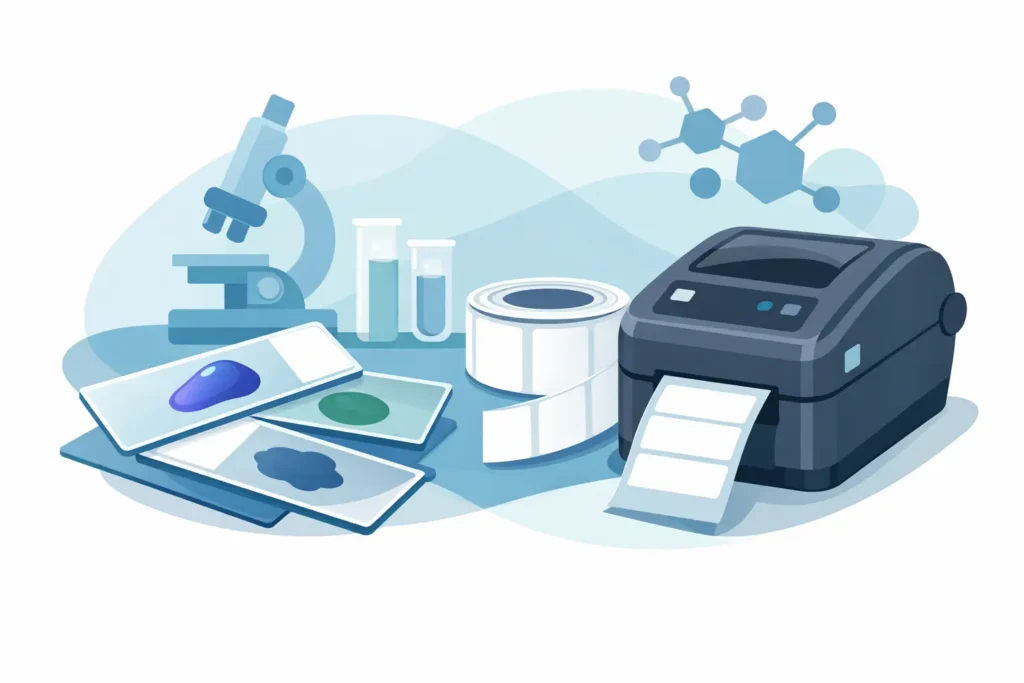
Zebra 8000T slide labels are generally selected for applications that require durable thermal-transfer printing on microscope slides and similar small-format identification surfaces. These environments usually involve high-density barcodes, small fonts, and tight placement tolerances. In practice, that means the label stock must support crisp imaging while maintaining adhesion to glass or other smooth surfaces.
That combination matters in settings where sample identification is tied directly to workflow accuracy. Histology, pathology, clinical labs, and research operations are common examples. Teams in these environments are not just printing a name and date. They are often encoding specimen IDs, accession numbers, patient data, or internal tracking fields that must remain readable at multiple points in the process.
The appeal of this label type lies in its consistency. When the material, adhesive, and topcoat are aligned with the print method, you get stable output and dependable scan performance. When they are not, problems show up quickly – voids in print, poor edge definition, flagging on the slide, or label failure during downstream handling. See our stock label selection. If any of these labels do not meet your application, give us a call at 888.972.5234, we can make any size or shape you require.
What to evaluate before you buy Zebra 8000T slide labels
The first question is not simply whether the label fits the slide. It is whether the label fits the operating conditions. Glass is a challenging surface in its own way. It is smooth, non-porous, and often exposed to temperature changes, moisture, or chemicals depending on the process. A label that adheres well in one workflow may struggle in another if slides are refrigerated, moved rapidly between stations, or exposed to solvents.
Print quality is the next critical factor. Slide labels usually carry compact information in a limited area, so image sharpness matters. Thermal transfer systems can produce excellent results, but only if the ribbon is matched to the label stock and the printer is calibrated correctly. If the ribbon formulation is incorrect, the print may appear acceptable at first but still degrade with abrasion or handling.
Buyers should also pay attention to label dimensions, spacing, and media configuration. Small-format labels require precise feeding. If the roll format or sensor setup does not align with the printer, users may experience print drift, registration errors, or wasted labels. Those issues are frustrating in any environment, but they become costly in regulated or high-volume operations.
Printer and ribbon compatibility matter more than many teams expect
One of the most common mistakes in slide labeling is evaluating the label in isolation. In reality, performance depends on the combination of label, ribbon, printer resolution, print speed, darkness settings, and application environment. A high-quality label can still underperform if the printer is not designed for the format or if settings are carried over from another media type.
For Zebra 8000T slide labels, the printhead resolution deserves close attention. Smaller barcodes and text fields often benefit from higher-resolution printing because the edges stay cleaner and scanner readability improves. If your operation is trying to encode more data into less space, this becomes especially important.
Ribbon selection should be treated with the same level of care. Wax, wax-resin, and resin ribbons do not behave the same way, and the right choice depends on the label surface and the application’s durability requirements. In many laboratory and industrial identification environments, resin-based performance is the safer direction when abrasion resistance and long-term legibility matter. That said, the right answer still depends on the exact label construction and the conditions the printed slide will face.
Calibration and media sensing are just as important as the consumables themselves. If users have to constantly adjust positioning or clear errors, the issue may not be the label at all. It may be a mismatch between media setup and printer configuration. That is why many organizations benefit from validating the full print system before rolling labels into production.
Adhesive performance is usually the deciding factor
In slide labeling, print quality gets attention first because it is easy to see. Adhesive performance is often the issue that determines whether the label succeeds over time. A label can print perfectly and still fail if it lifts at the corners, shifts during handling, or does not stay anchored through storage and transport.
This is where application details matter. Are slides labeled at room temperature or after being chilled? Are they handled once or many times? Will they be stored short term or archived? Are there chemicals in the process that may affect the adhesive or printed surface? These questions are not minor. They shape the material recommendation.
There is no single label stock that is best for every slide application. Some operations need stronger initial tack for fast-moving workflows. Others need greater resistance to temperature changes or exposure conditions. A good selection process accounts for both the immediate application step and the full life of the labeled item.
Why testing matters before standardizing
A specification sheet is helpful, but it does not replace application testing. Slide labeling is too sensitive to rely on assumptions alone. A label that looks right in a product description may behave differently when paired with your printer settings, your slide stock, and your handling process.
Testing should be practical and focused. Print the actual barcode symbologies and text sizes you use. Run the labeled slides through normal handling. Store them under the same conditions your team expects in production. Scan them with the devices used in the field or at the bench. If the process includes refrigeration, transport, or repeated touchpoints, include those in the evaluation.
This approach does more than reduce risk. It helps procurement, operations, and technical teams align before a larger purchase is made. Instead of debating specifications in the abstract, they can review actual performance in the context that matters.
A label decision is really a workflow decision
It is easy to treat slide labels as a simple supply item, especially when buyers are under pressure to keep costs down. But when those labels carry critical data, the real cost is tied to reliability. Reprints, relabeling, scan failures, and identification errors usually cost more than the difference between one label option and another.
That is why the better question is not just what Zebra 8000T slide labels cost. It is what they help prevent. In many operations, a well-matched labeling system supports faster identification, fewer interruptions, and greater confidence in the data as it moves through the process.
The same thinking applies to support. If an organization is introducing new printers, updating label formats, or standardizing across locations, it helps to work with a partner that understands how labels, ribbons, hardware, and setup interact. PaladinID works with organizations that need that broader view, especially when application performance matters more than simply sourcing another roll of labels.
Common buying mistakes to avoid
Most labeling failures can be traced back to a short list of preventable issues. One is assuming that any small thermal transfer label will perform like a slide label. Another is selecting media based solely on dimensions while overlooking adhesive behavior and print-surface characteristics.
A third mistake is failing to account for scanner requirements. If your barcodes are small and dense, there is very little margin for error in print quality. What looks readable to the eye may still produce inconsistent scans. Finally, teams sometimes make a purchasing decision without checking how the labels will feed in their current printers or whether operators will need setup changes.
None of these issues are complicated on their own. The challenge is that they tend to surface after implementation, making correction more disruptive.
Making the right call on Zebra 8000T slide labels
If your operation depends on clear identification on microscope slides or similar small-format surfaces, Zebra 8000T slide labels are worth evaluating as part of a complete print system rather than as a standalone item. The right fit comes down to print quality, adhesive performance, environmental exposure, and compatibility with the equipment already in use.
The most reliable path is to define the real-world conditions first, then match the label, ribbon, and printer settings to those conditions. That extra diligence usually saves time later and reduces the kind of labeling problems that quietly erode productivity. When the label is doing its job properly, your team is free to focus on the work that depends on it.
At PaladinID, we understand that every labeling application is different.
That’s why companies across the country trust us to help them identify the right solution for their business. With over 40 years of experience and one of the industry’s largest selections of labeling products, we make it easy to find the right fit for your operation. Whether you need stock products or a custom-built solution, our team is ready to help. Visit our online catalog, Email us, or call us today at 888.972.5234.
PaladinID delivers label solutions that stick!


Got Labeling Questions? Our AI Assistant Has Answers - Chat Now!
For more information on PaladinID
Get Help With Your Next Label Project
We have over 35 years of providing exceptional service and labeling products to the world. Take the first step to an easy, stress-free solution for your label needs by contacting us.
Schedule a call below or email [email protected]
Make Your Mark
“Making companies more competitive by offering the correct label printing solution, on time, within budget, while creating unmatched value”.
About PaladinID, LLC
PaladinID develops and supports high-performance barcode labeling applications. We work with our clients to “Make Your Mark” by providing the expertise and tools necessary to create an entire product label printing solution. Located in central New Hampshire, PaladinID has been serving Massachusetts, Vermont, Maine, Connecticut, Rhode Island, New England, and beyond for over 30 years, and in 2017, became an RFID-certified company. We look forward to working with you.
You may be interested in our other services:
Product Labels
Product Labels
Labels for every type of application: Blank, Pre-printed, Variable data
Label Printers
Label Printers
We sell and support: Direct/thermal transfer, Inkjet, Laser
Printer Ribbons
Printer Ribbons
We sell ribbons for ALL barcode printers including: Zebra, Datamax, Sato, Intermec
Flexible Packaging
Flexible Packaging
We offer a wide variety of packaging containers for your products.
Label Software
Label Software
Software for all barcode printing and product labeling.
Label applicators
Label Applicators
Wide selection of applicators: Desktop/Mobile, Applicator only, Print & apply
